What is TableSync Player?
TableSync Player is a free, open-source Dungeons & Dragons fifth edition character sheet for your phone. It builds and levels your character, tracks spells, hit points and gear, and rolls your dice. When your DM runs TableSync, it joins their game.
Most character sheet apps stop at the edge of your phone. This one is the player half of a system built for an in-person table: the DM runs a DM screen and projects the battle map onto the table, and every player at that table holds a sheet that talks to it. Your attack roll arrives in the DM's roll log with your name on it. The conditions the DM puts on you appear under your name, with the rounds left and the save DC. When your turn comes, an Android phone buzzes.
It comes two ways: an Android app you install once, which also works alone with no DM and no connection, and a web app that opens from your DM's link in any browser, iPhone included, with nothing to install.
What can TableSync Player do?
Everything on a paper sheet, with the arithmetic done, and the table wired in.
A guided character builder
Species, class, ability scores, background, feats, skills, spells and gear, one step at a time. Standard array, point buy with the 27-point budget enforced, manual entry, or 4d6 drop lowest. Or roll a whole random character.
2014 and 2024 rules
Each character is built under the 2014 or the 2024 fifth edition rules, from the SRD 5.1 and 5.2.1, including 2024 backgrounds that grant a feat and ability scores.
Levelling that asks the right questions
Hit points by average or by roll, ability score increase or feat, subclass, and new spells. Multiclassing, with the combined spell slot table, when you play at a table on the current TableSync release.
Spells, counted for you
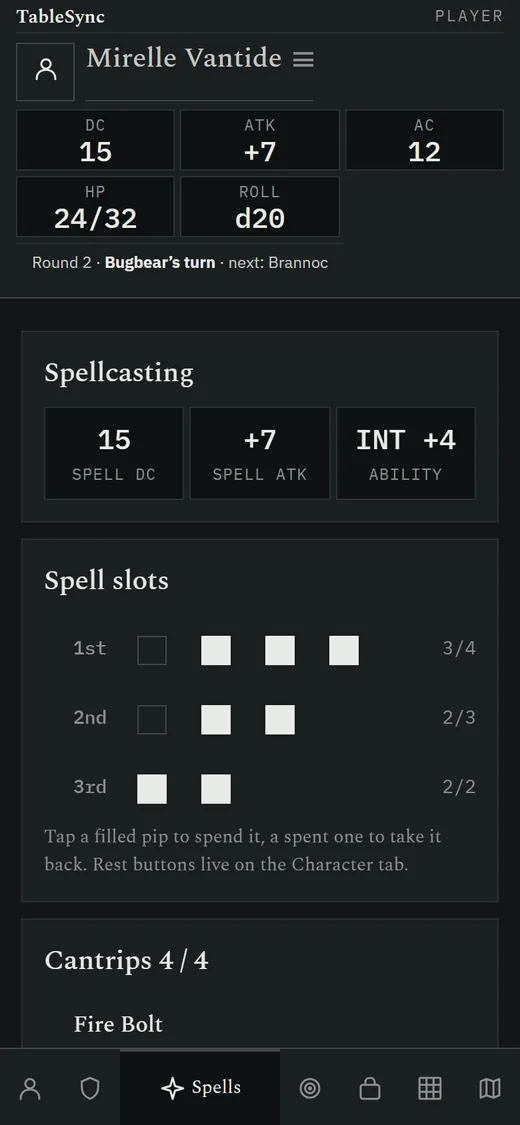
Tap a slot pip to spend it. Warlock pact slots, prepared-spell limits, the wizard's spellbook, full spell text with tappable dice, and a concentration save prompt when you take damage.
One-tap rolls
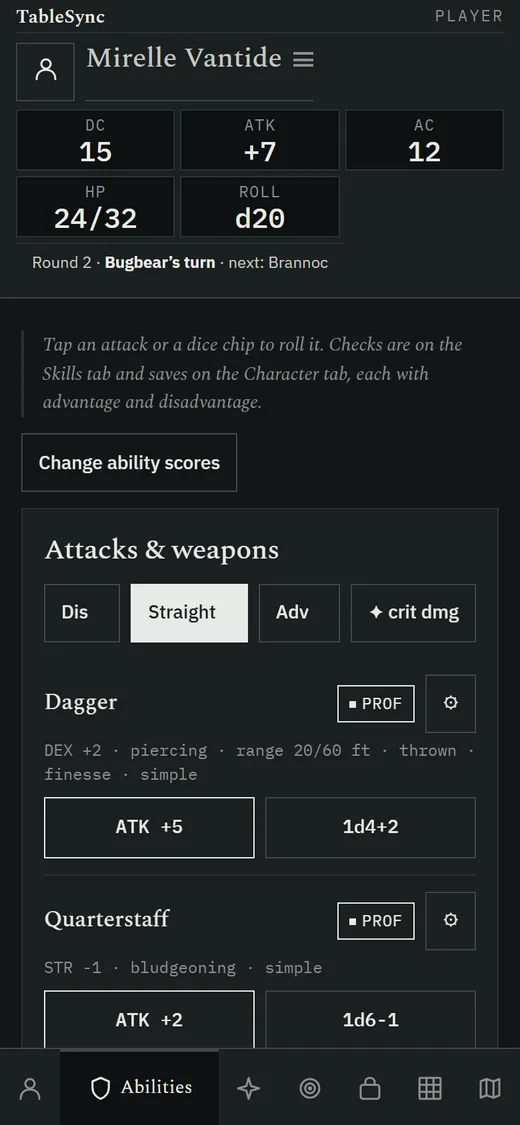
Attacks, damage, skills, saves and a dice drawer from d4 to d100, with a disadvantage, straight or advantage toggle and a critical-damage option. At a table, each roll reaches the DM's screen.
Every feature, written out
Class, subclass, species and feat features with their full text, resource pips for ki, rage and sorcery points, Channel Divinity options and a Wild Shape form browser.
Hit points, rests and death saves
Damage and healing with temporary hit points first, death saves with natural 1s and 20s, exhaustion for either edition, and short and long rests that spend and restore hit dice.
A pack that adds up
Items from the catalogue or typed in, equipped and attuned, five kinds of coin, and carrying capacity. Armour you equip sets your AC. Items the DM sells or loots to you arrive in your pack.
The battle map on your phone
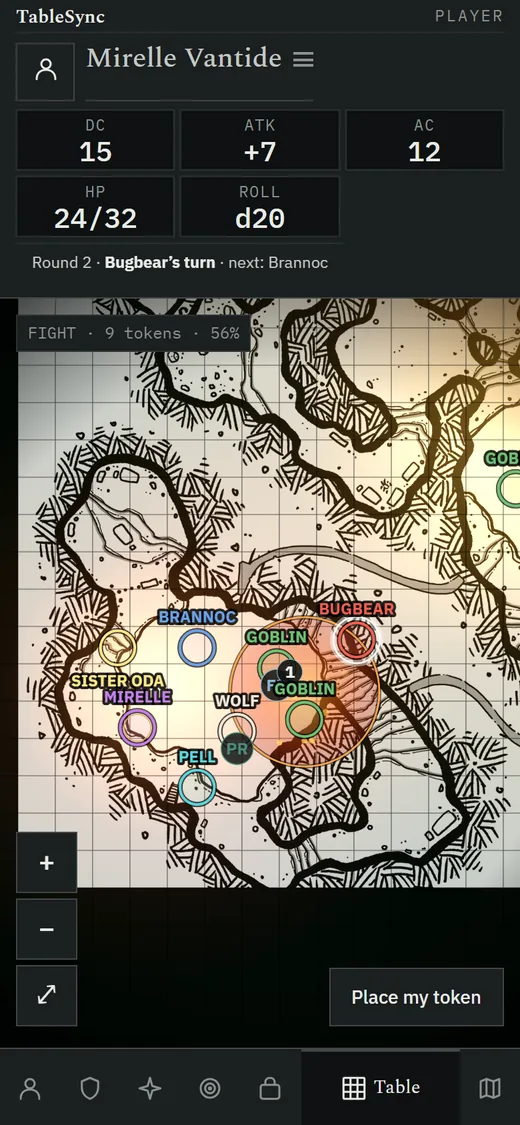
A live copy of the board the DM projects: map, tokens, spell zones and light. Pinch to zoom, place and move your own token, summon a creature, and drop a spell's area onto the board.
Your own content
Import content packs as JSON, or compendiums in the Fight Club 5 and Game Master 5 XML formats, kept on your device. Export any character as a file, and add a portrait.
Should I use the Android app or the web app?
Use the Android app if you want to build a character before the session, or play without a DM. Use the web app if you are on an iPhone, a tablet or a laptop, or would rather install nothing. At the table they are the same sheet.
| Android app | Web app | |
|---|---|---|
| Get it | Free APK, 3.8 MB | Open the DM's link or join code |
| Runs on | Android 5.1 and later | Any current browser: iPhone, Android, iPad, computers |
| Without a DM | Yes: full builder and sheet, offline | Opened from a DM's table |
| At the table | Rolls, map, conditions, turns, items | Rolls, map, conditions, turns, items |
| Character kept | On the phone, or on the DM's computer once joined | On the DM's computer |
| Home screen | Installed app | Add to Home Screen |
While you are joined, the app runs the player sheet your DM's copy of TableSync serves, so everyone at the table has the same version.
How does TableSync Player compare with other character sheet apps?
Most 5e character sheet apps are standalone: the sheet lives on your phone and the table never hears from it. Campaign services that do share rolls usually need an account and put your characters on their servers. TableSync Player is built for players sitting at one real table.
| TableSync Player | A typical standalone sheet | |
|---|---|---|
| Price | Free, no in-app purchases | Varies |
| Source code | Open, MIT licence | Usually closed |
| Account | None | Often required for sync |
| Rolls reach the DM | Yes, with your character's name | No |
| Sees the battle map | Yes, live | No |
| DM-set conditions and turns | Shown on your sheet | Tracked by hand |
| 2014 and 2024 rules | Both, per character | Varies |
| Tracking and ads | None | Varies |
How do I install TableSync Player on Android?
TableSync Player is not on Google Play yet. It installs from a file, which Android calls sideloading.
- On your phone, tap Download for Android.
The file is
TableSync-Player-SRD-1.3.5.apk, 3.8 MB. - Open the downloaded file. If Android says your browser is not allowed to install unknown apps, tap Settings, turn on Allow from this source, and go back.
- Tap Install. Android may warn that the app is from an unknown developer, because it is not signed through Google Play. Check the file under Verifying the APK if you want to be sure it is the one published here.
- Open TableSync. Build a character on the phone, or tap Join a table to join your DM.
The app asks for one permission, internet access, and uses the system picker for a portrait, so it never reads your photos.
How do I join my DM's table?
You need one thing from your DM:
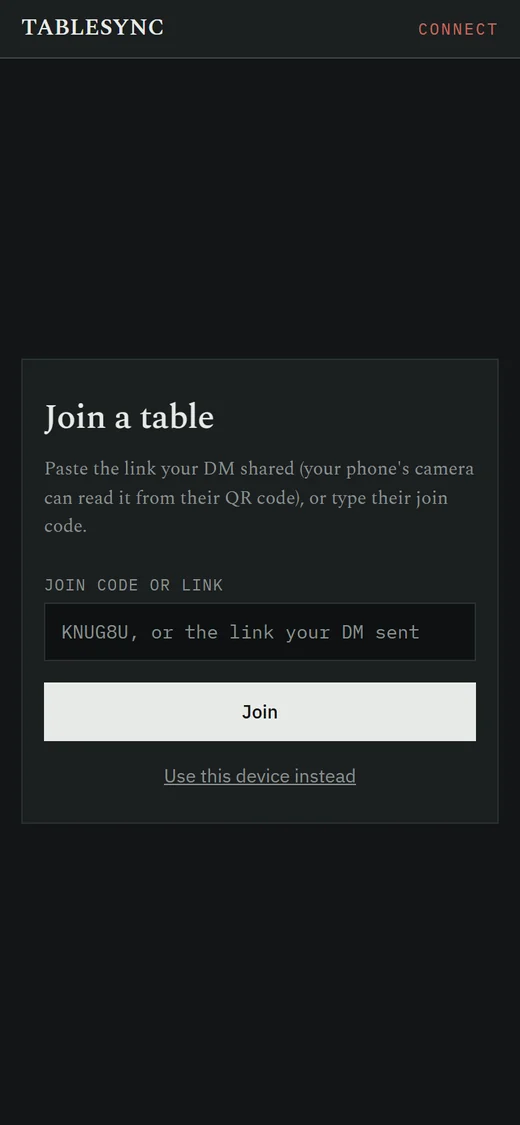
- A link. Open it in your browser, or paste it into the Android app. If the DM shows a QR code, your phone's camera reads it.
- A join code of four to twelve characters. Type it into the Android app, or enter it at Join a session. A code keeps working when your DM's address changes.
Once joined, your sheet is kept on your DM's computer, so the same character opens on any device you join from. The Android app remembers the table and reconnects when you reopen it. A character you built alone can be uploaded to the table, and the copy on your phone is kept.
Running the game? The DM side is TableSync for Windows: a DM screen, a projector battle map calibrated to real inches, and the link your players open.
What does TableSync Player do with my data?
As little as it can. There is no account, no TableSync server, no advertising, no analytics, no crash reporting and no third-party SDK.
- Characters, portraits, content packs and settings stay on your device.
- Joining a table sends your sheet to your DM's computer.
- Looking up a join code sends only the code to this site.
- A table reached over the internet runs through a Cloudflare tunnel, which can see traffic in transit, like any relay.
The full text is the TableSync privacy policy.
Questions
What is TableSync Player?
TableSync Player is a free, open-source character sheet for Dungeons & Dragons fifth edition (D&D 5e) that runs on a phone. It builds and levels your character, tracks spell slots, hit points and inventory, and rolls your dice. When your DM runs TableSync, your rolls land on their screen and the battle map appears on your phone. It comes as an Android app and as a web app in any browser.
Is TableSync Player free?
Yes. It is free, with no account, subscription, in-app purchase, advertising or telemetry. The code is MIT-licensed and the bundled rules content is the SRD under CC BY 4.0.
Does TableSync Player work without a DM or without internet?
Yes, in the Android app. It bundles the SRD, so you can build, level and play a character with no DM and no connection; characters are stored on the phone. You can upload that character to a table later and keep the phone copy. The web app is opened from your DM's link.
Is TableSync Player on Google Play?
Not yet. The Android app is a free APK download from the project's GitHub releases, currently version 1.3.5, and it runs on Android 5.1 or later. Its only permission is internet access. Players who prefer not to install anything can use the web app from their DM's link.
Does TableSync Player work on iPhone?
Yes, as a web app. Open your DM's link in Safari and, if you like, choose Add to Home Screen so it opens like an app. There is no App Store app.
Does it support the 2024 D&D rules?
Yes. Each character is built under the 2014 or the 2024 fifth edition rules, from the System Reference Document 5.1 and 5.2.1, including 2024 backgrounds that grant feats and ability scores.
Does my DM see my dice rolls?
Yes, when you are joined to their table. Every roll goes to the DM's roll log with your character's name, so nobody reads numbers aloud. Your hit points stay on your own sheet.
Where is my character stored?
In the Android app's own mode, on your phone. When you join a table, your sheet is kept on your DM's computer, so the same character opens on any device you join from. Nothing is stored on a TableSync server; there is none.
Can I import content from other apps?
Yes. The player app imports content packs as JSON and compendiums in the Fight Club 5 and Game Master 5 XML formats, stored on your device only. Characters export and import as JSON files.
Is TableSync Player an official D&D product?
No. It is an independent, free tool, not affiliated with, approved or endorsed by Wizards of the Coast. Its rules content is the System Reference Document, which Wizards of the Coast publishes under CC BY 4.0.
Verifying the APK
The file is TableSync-Player-SRD-1.3.5.apk, 3.8 MB, published
2026-09-14. On a computer:
Get-FileHash "TableSync-Player-SRD-1.3.5.apk" -Algorithm SHA256
It should print, exactly:
6854D91CDD357456CF386338410309FB742B8DA4B4D5FF4CF3E48D81B9F3BA78
The APK is signed with the project's own key rather than through Google Play, which is why Android calls the developer unknown. The hash above is the check that means something.
Licence & release
Android 1.3.5 Published 2026-09-14 Code MIT Rules content CC BY 4.0
The Android app bundles the System Reference Document 5.1 and 5.2.1 (370 monsters, 658 spells and 1,298 items, with the classes, species, backgrounds and feats they define), used under CC BY 4.0. No sourcebook content is distributed. The application code is MIT, and its source ships readable inside the TableSync download.
All releases and changelogs · Privacy policy · TableSync for DMs