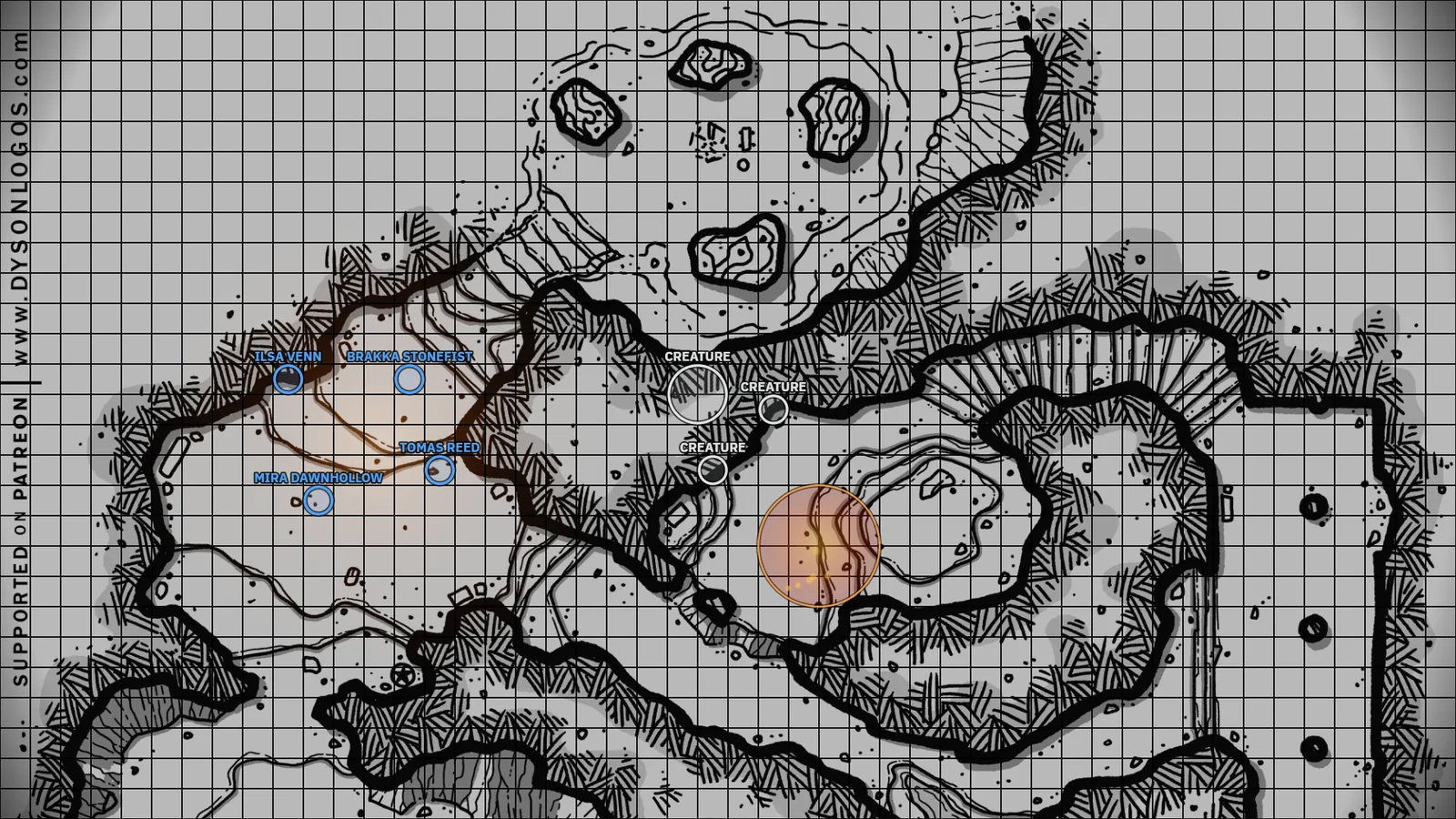
What TableSync is
TableSync is a free Windows app for running in-person Dungeons & Dragons fifth edition (D&D 5e) sessions, and other games built on the 5e rules. It opens two windows: a DM screen you run the game from, and a table view your players look at. Put the table view on a projector aimed down at the table, a TV built into a gaming table, or any second monitor. Your players open their character sheets on their own phones.
Everything runs on your computer. The app is a small local server that starts when you open it and stops when you close it, and your campaign lives in one folder. When players join from elsewhere, TableSync gives you one link to send them.
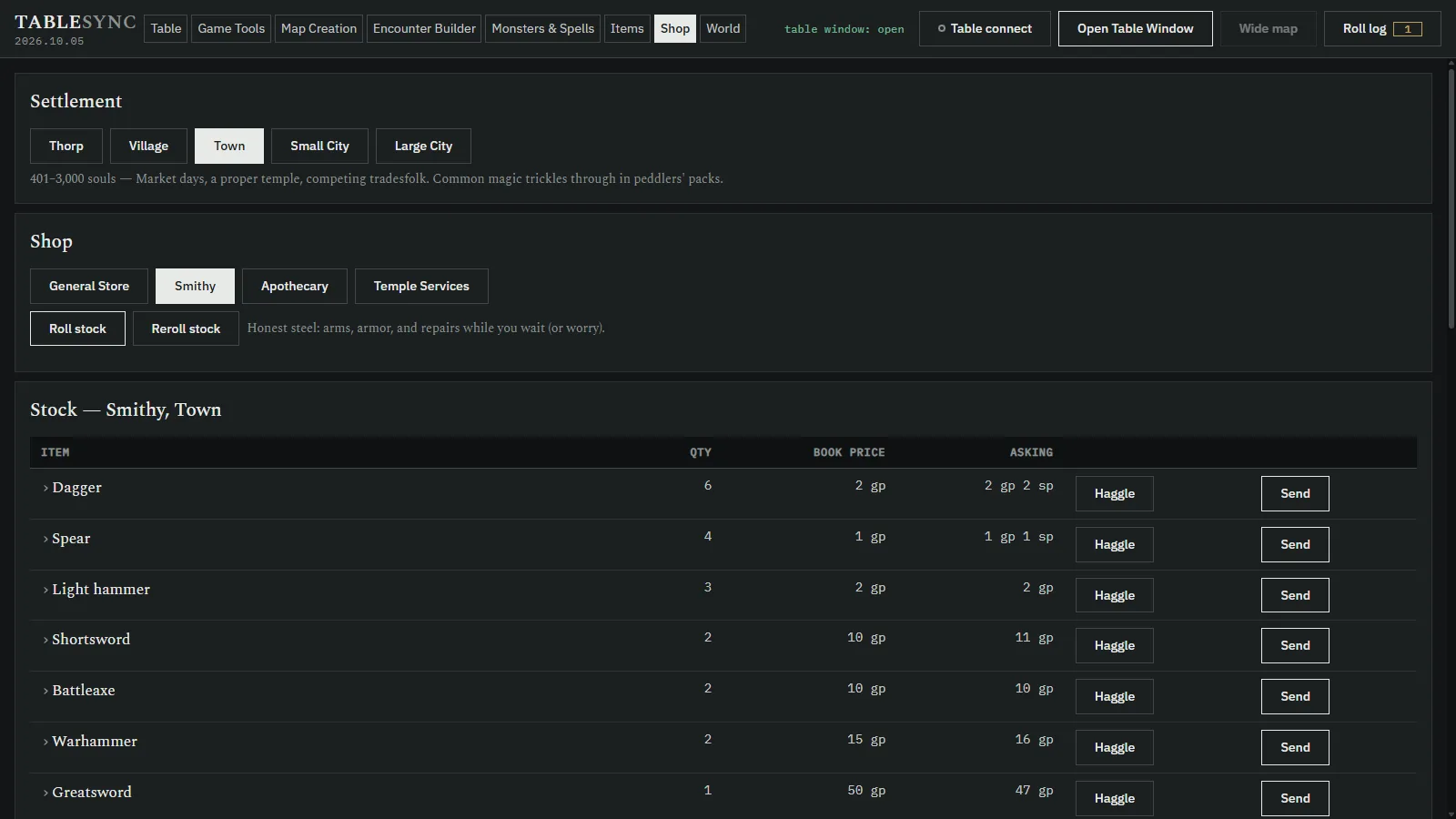
Screenshots
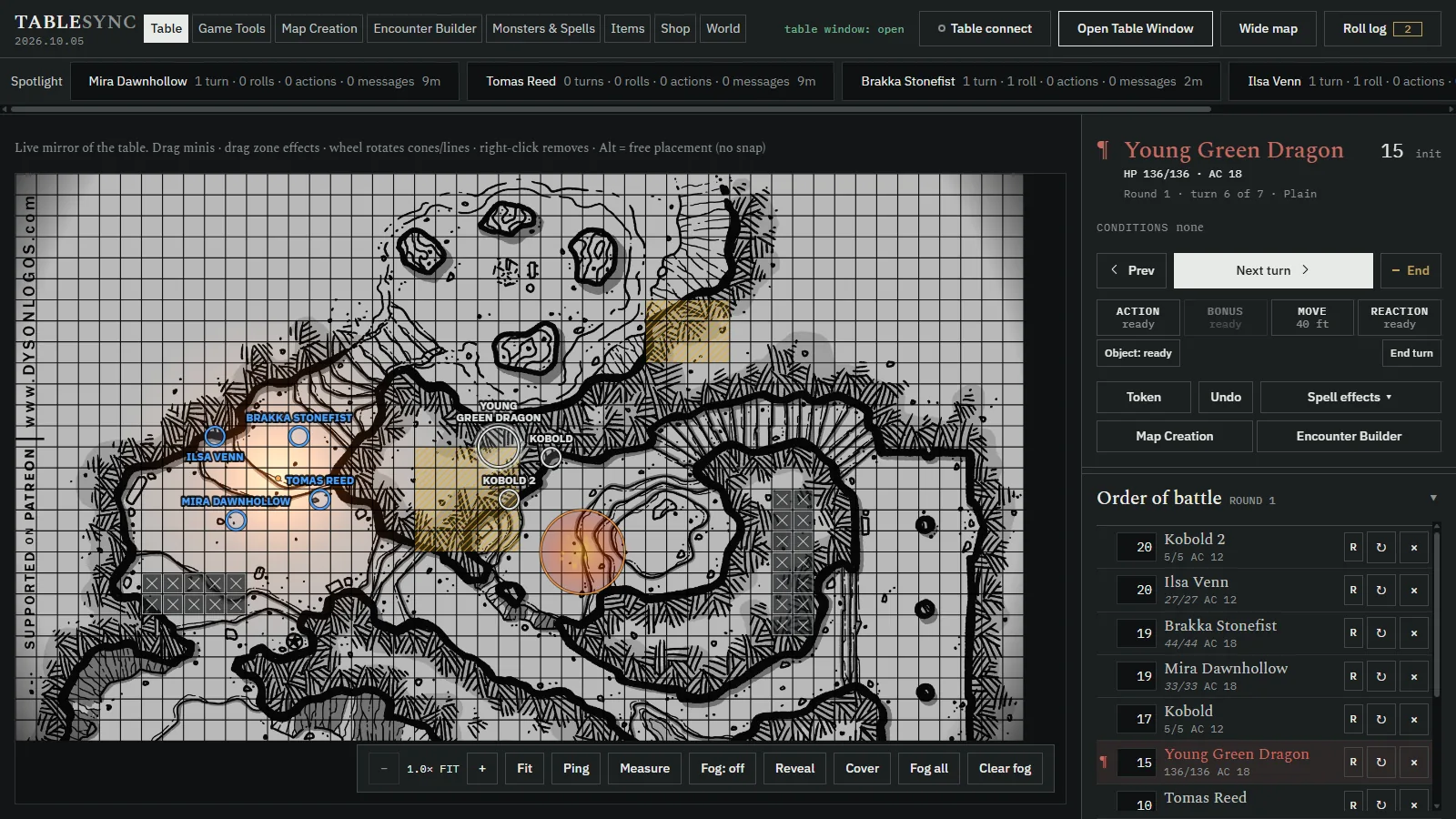
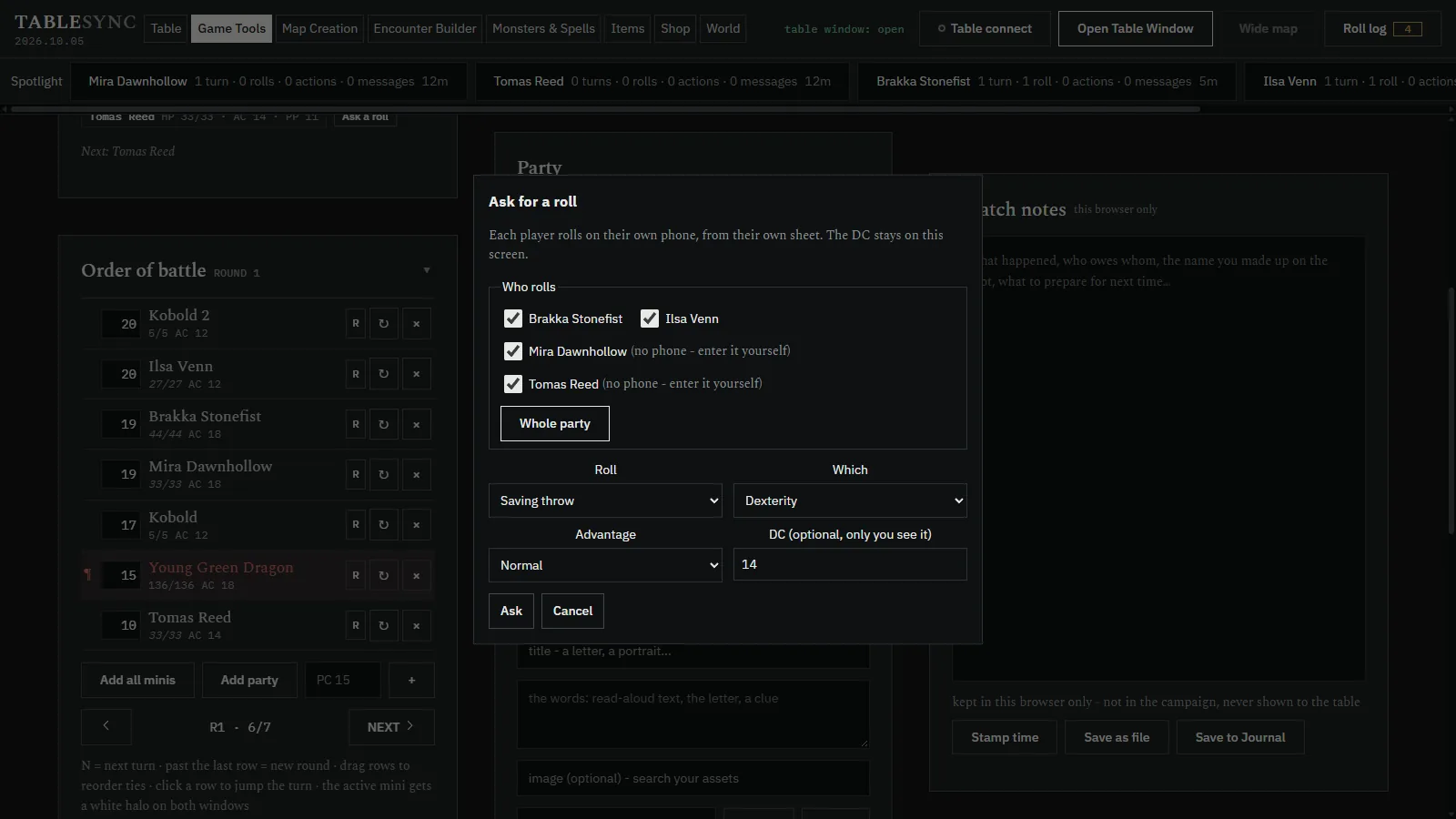
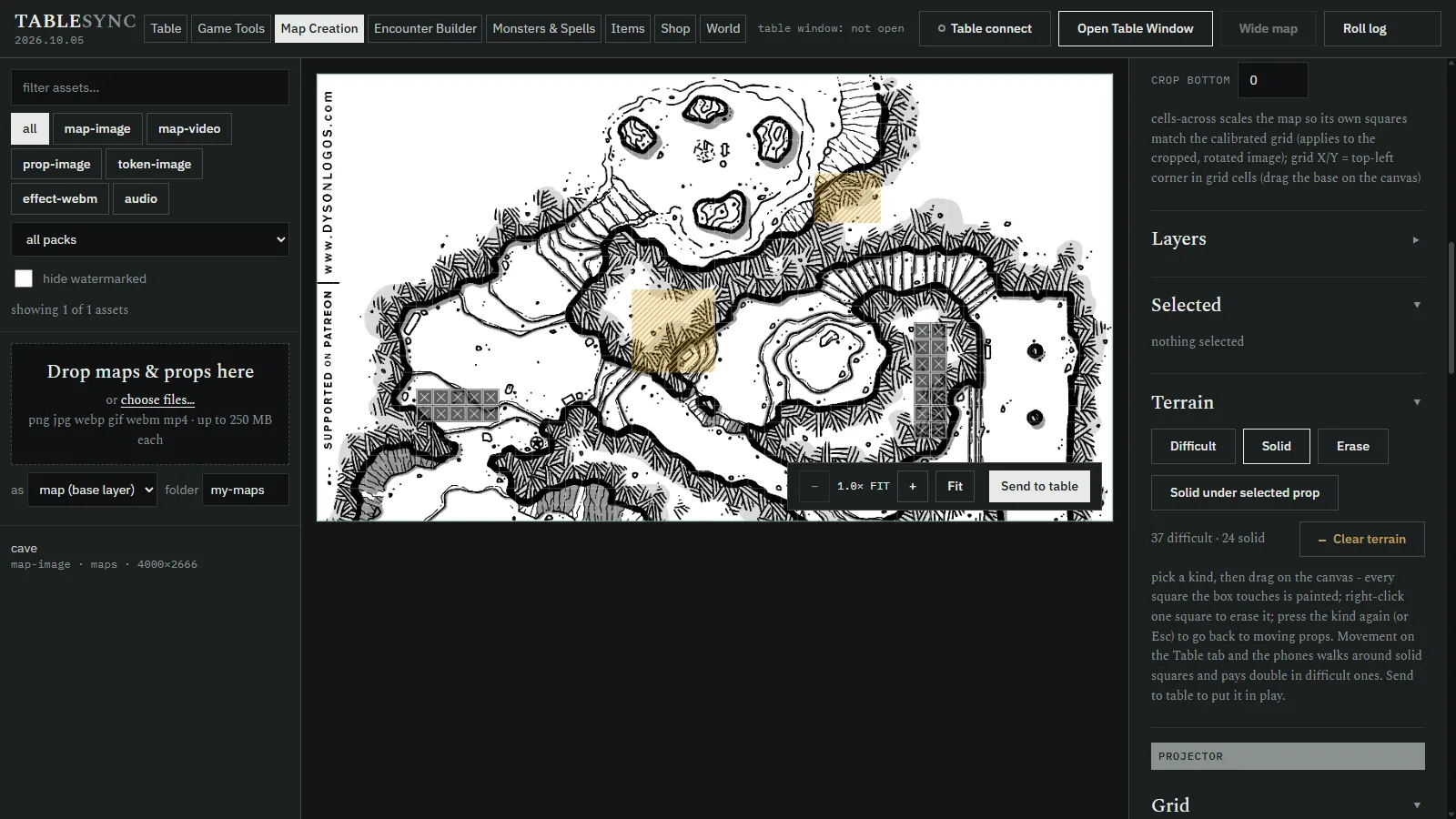
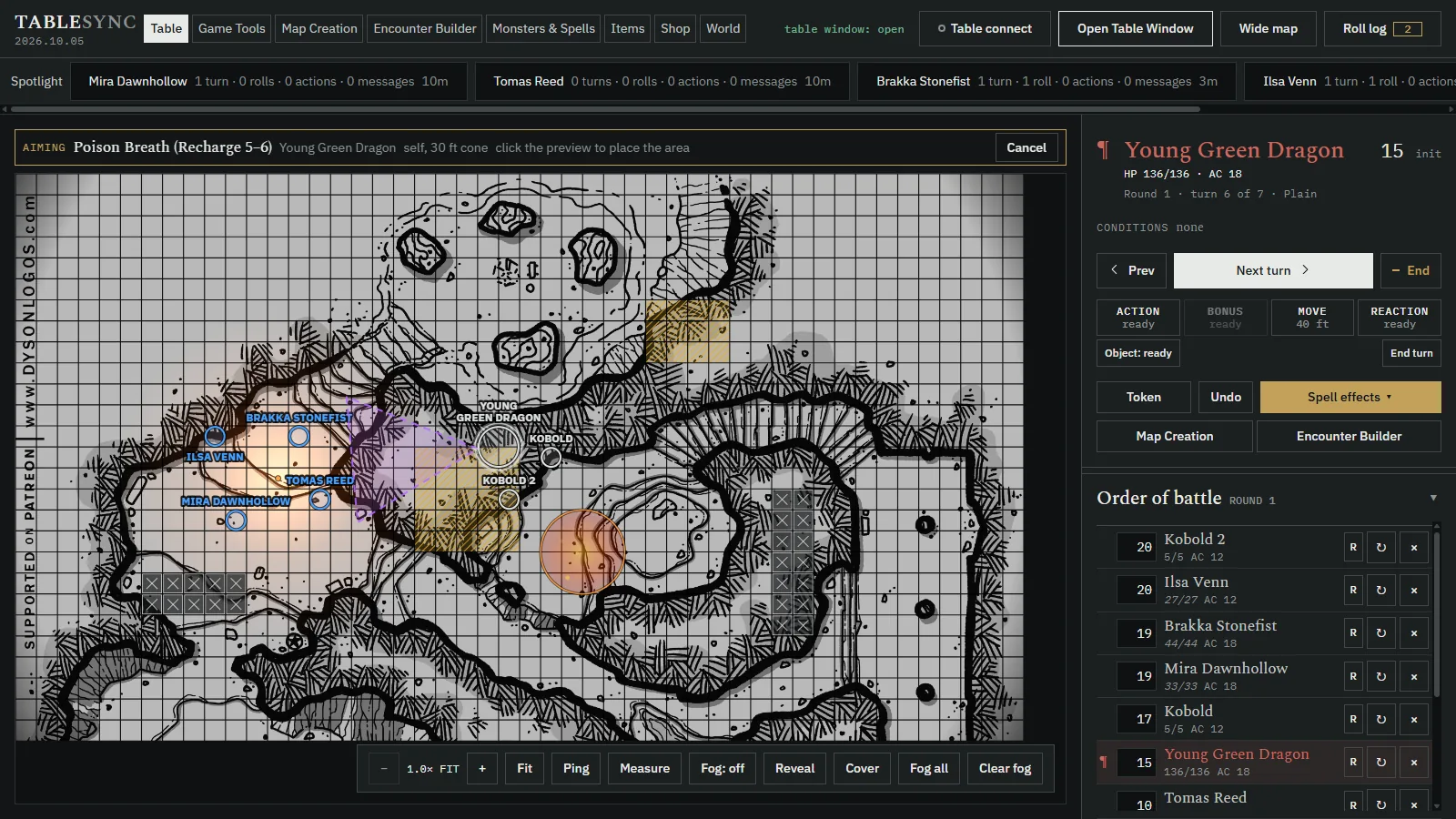
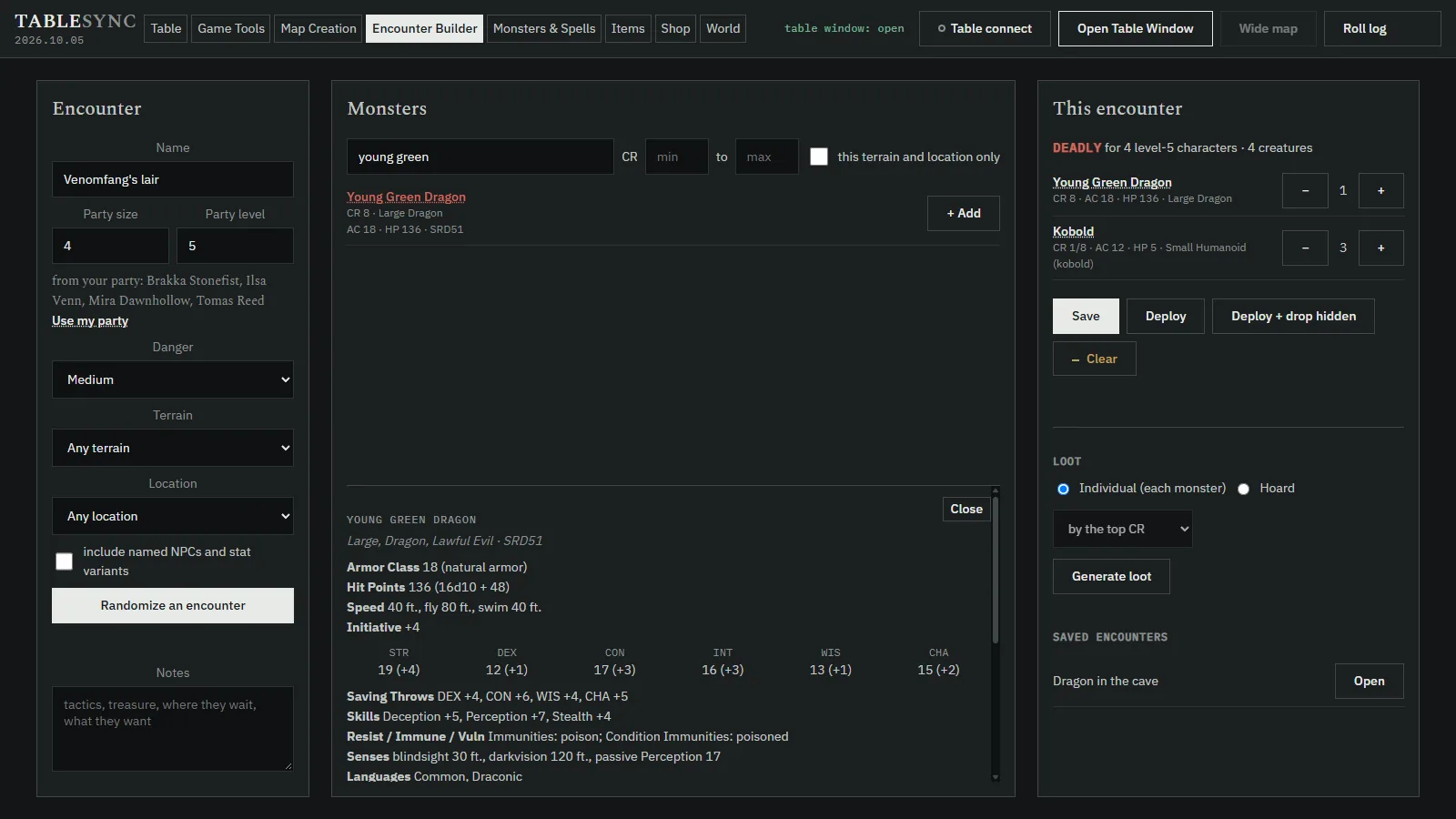
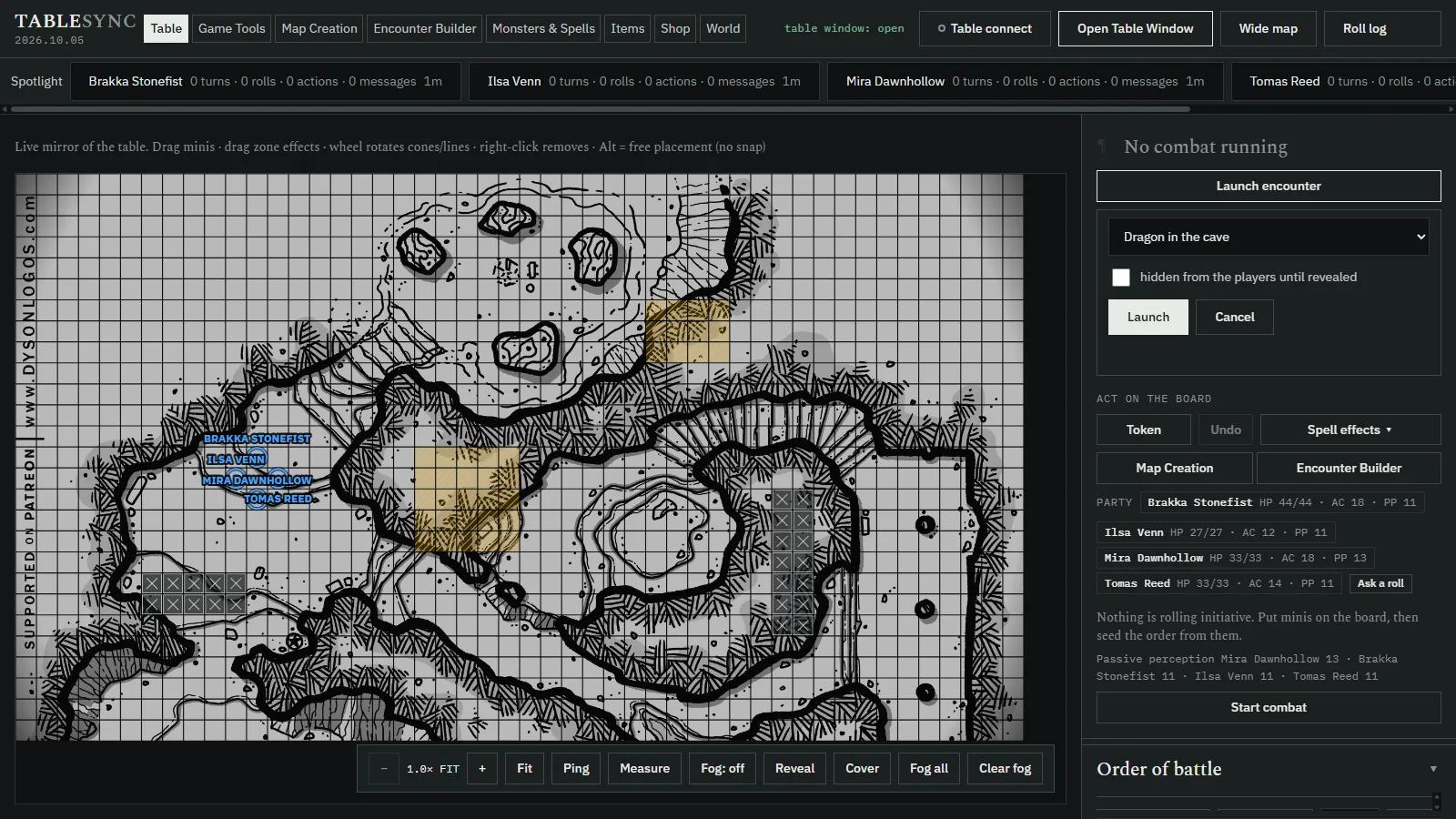
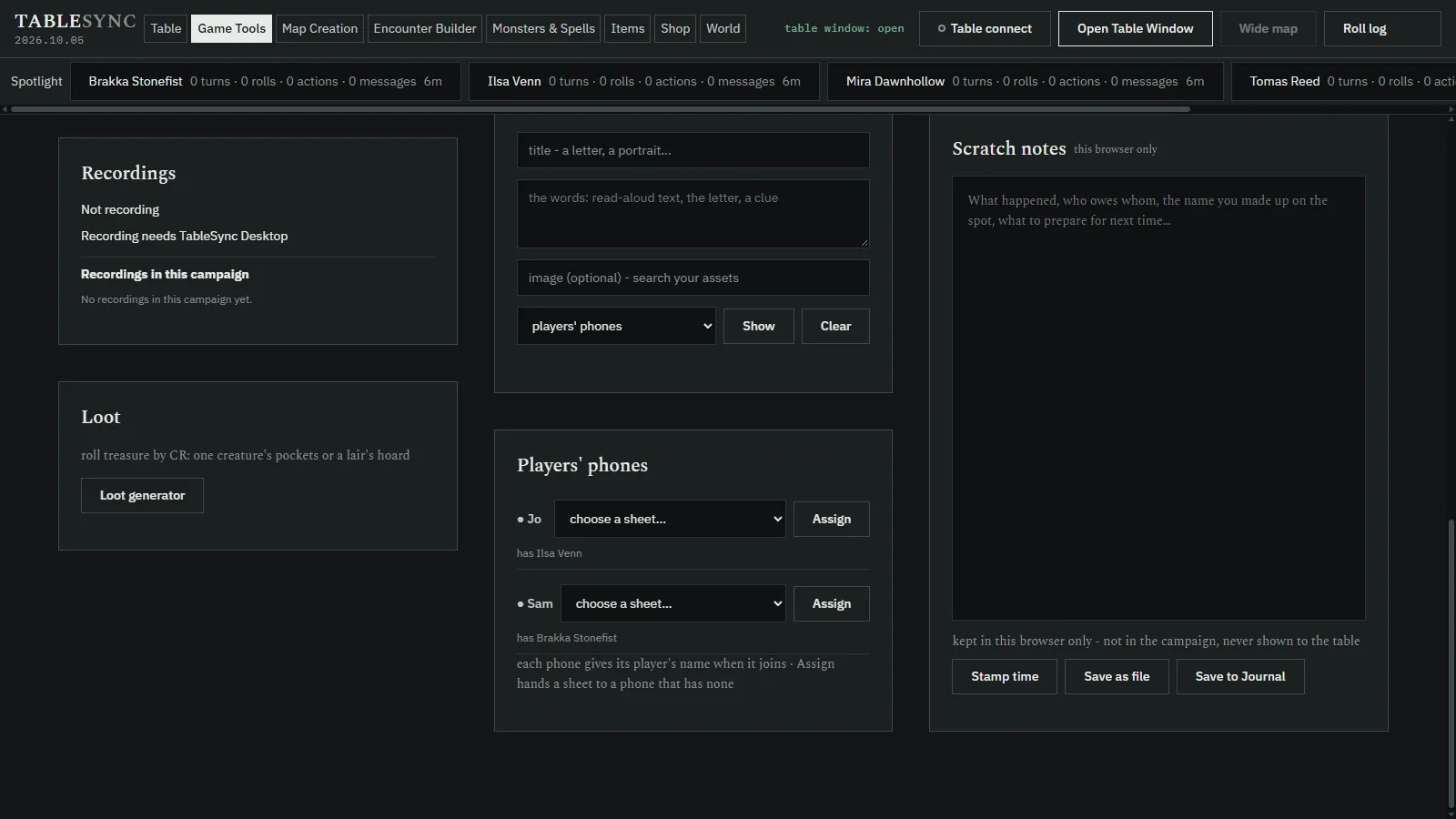
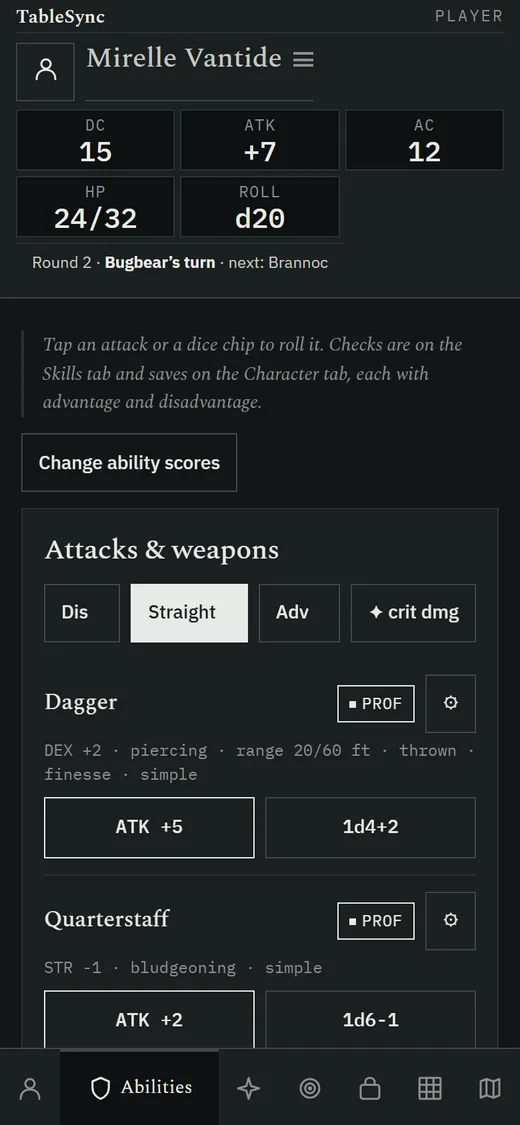
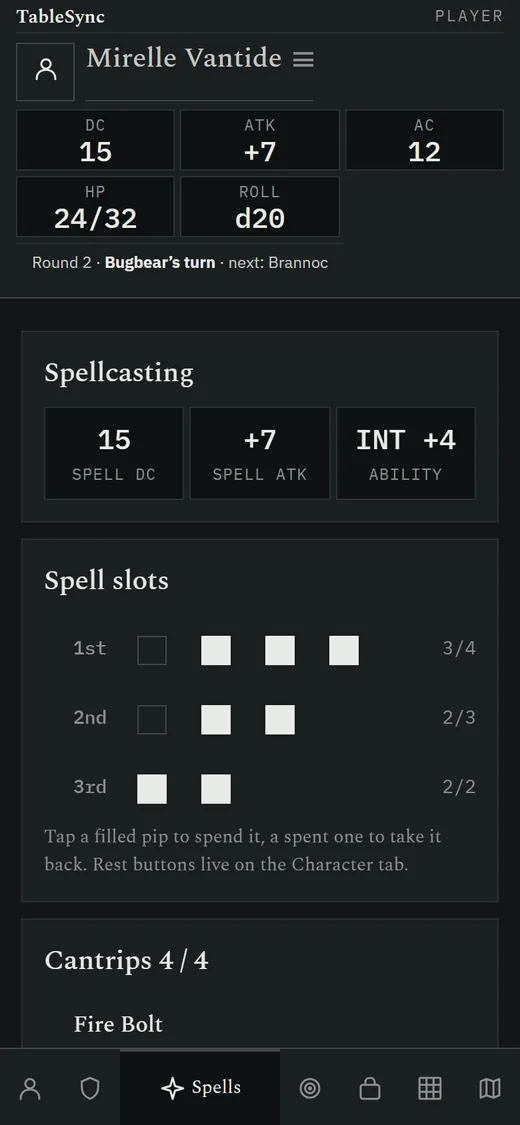
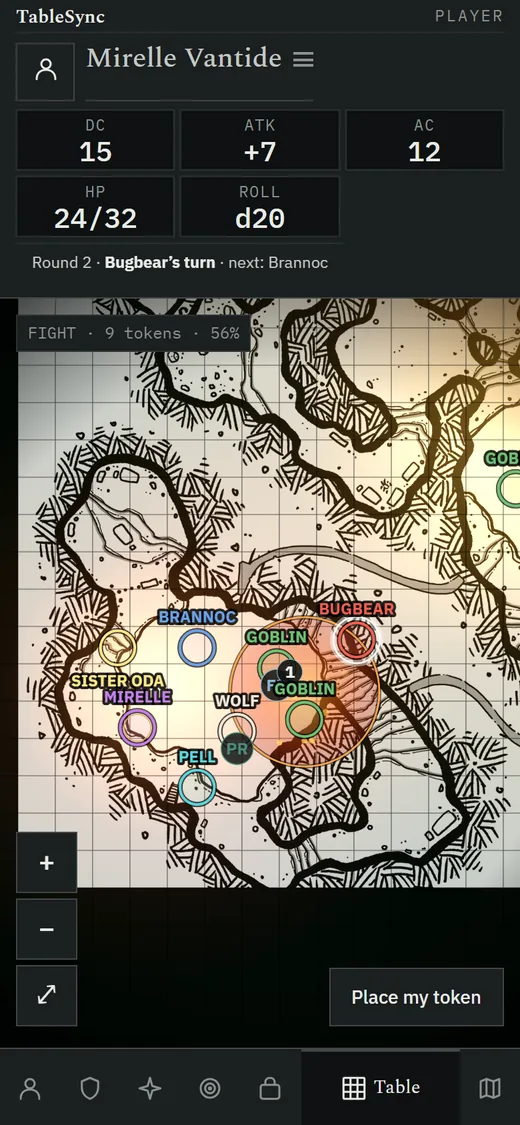
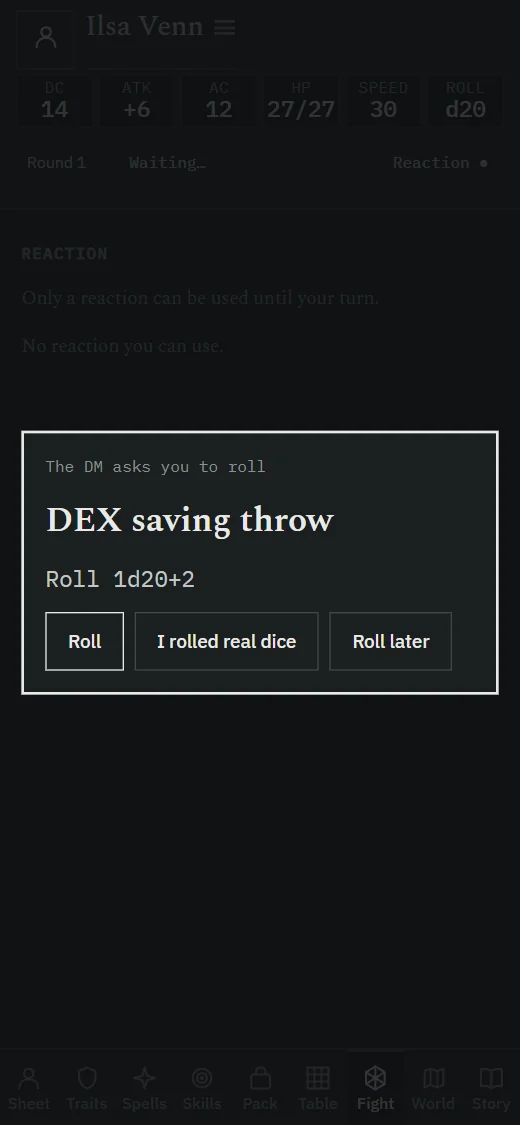
Real screenshots of the SRD download, release 2026.10.17, on demo characters, not mockups.
Features
Projector-true battle maps
Still images or looping video under an adjustable grid you calibrate once. Brightness and saturation controls push through projector wash.
Ask for any roll
Ask one player, a few, or the whole party for an ability check, a skill check or a saving throw, with a DC that stays on your screen. They roll on their phones; you read every result in the roll log.
A campaign that remembers
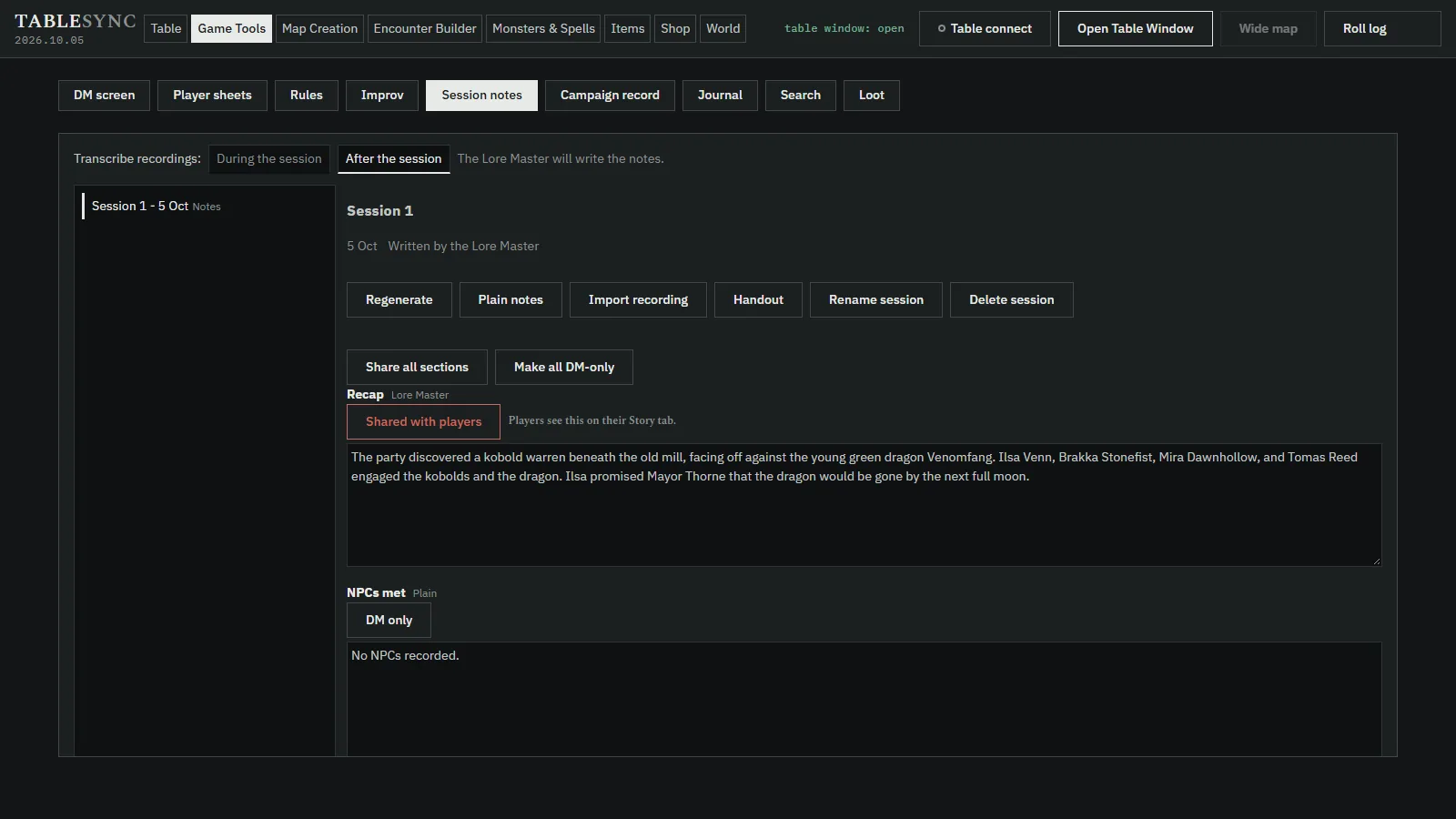
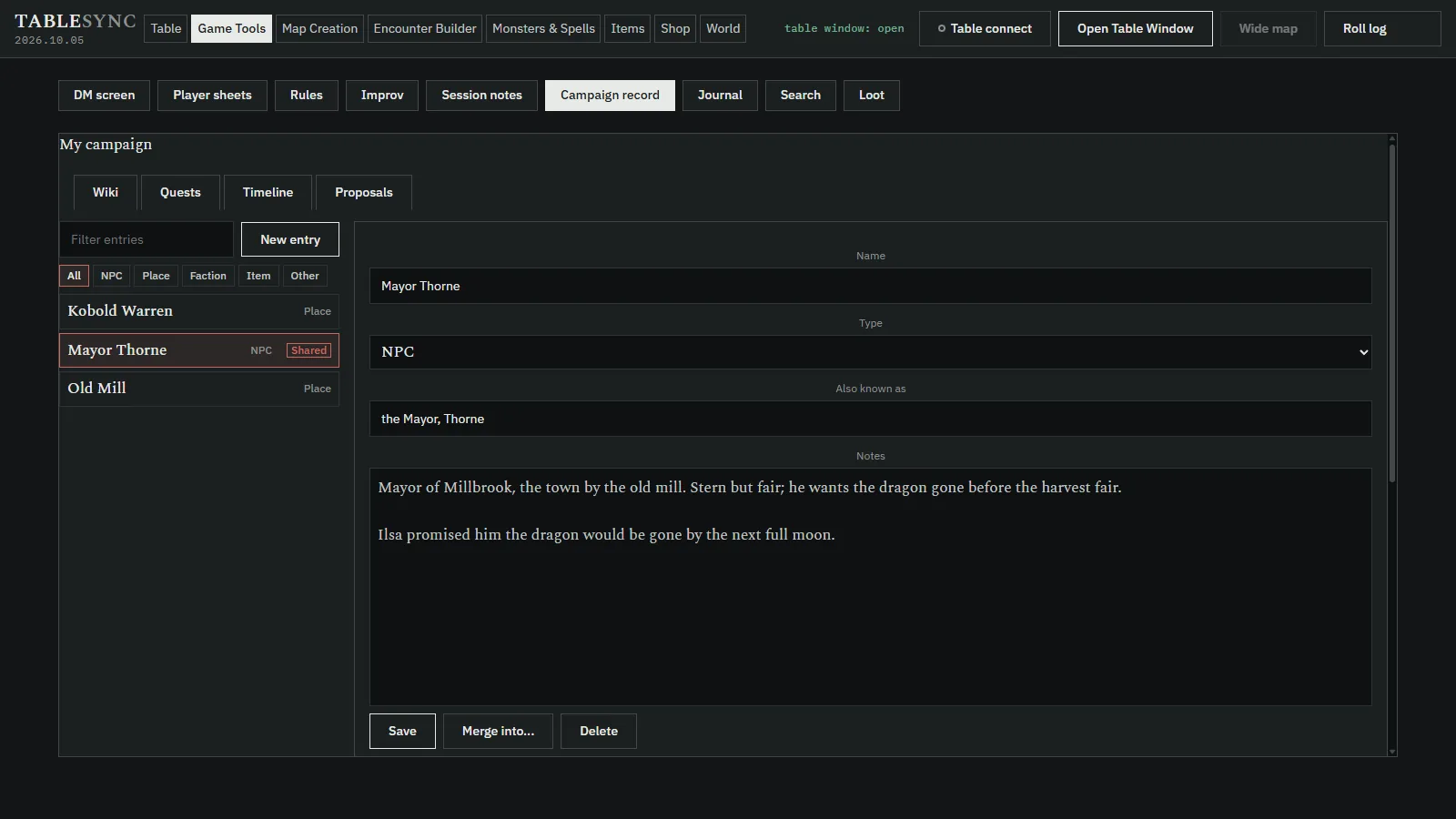
Start a session and TableSync keeps the log. At the end it drafts the notes: recap, NPCs, places, loot, open threads and quotes. A wiki, quests, a timeline, a journal and one search hold the rest.
Handouts and the Story tab
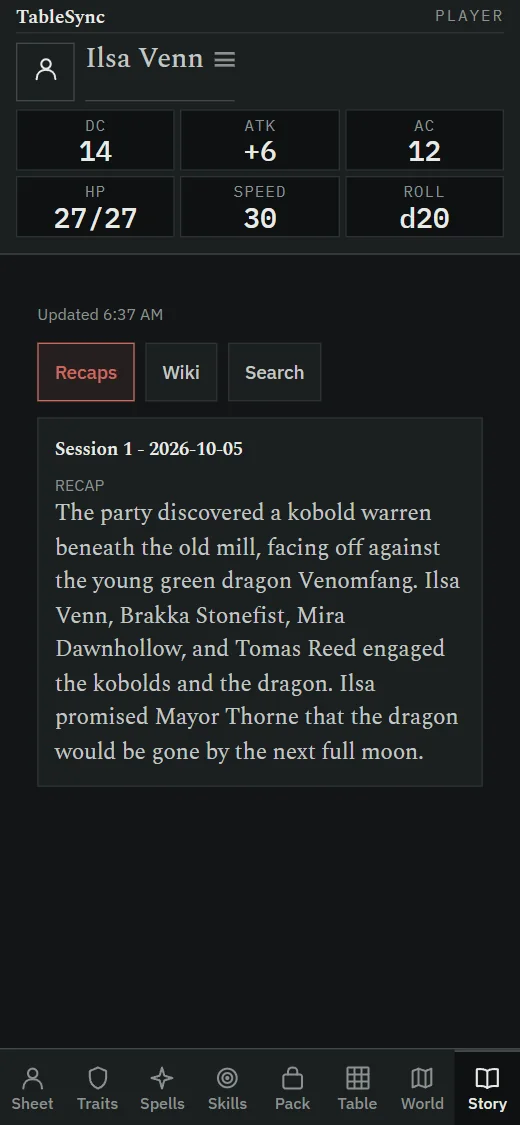
Print a session handout or save it as a PDF, and share any section of your notes or wiki with the players. They read it on their phone's Story tab, and only what you shared.
A spotlight on every player
During a session a slim bar counts each player's turns, rolls, actions and messages, and marks who has gone quiet.
Combat on one screen
Order of battle with party initiative, hit points, conditions with durations and saves, concentration, and a turn marker on the table. Roll initiative for a player who has not answered. Multiattack comes first, and recharge abilities are tracked until they come back.
Safe through a reload
Refresh the DM screen mid-fight and the fight being started, the rolls you asked for and the open result card are all still there.
Secrets stay secret
A hidden monster stays off the table view and the players' phones, its turn included, until you reveal it.
Terrain that movement respects
Paint difficult ground and solid obstacles on the map. Moves walk around walls, pay 10 ft into rough squares, and never cut a corner between two solid squares.
Areas that start at the caster
Breaths, cones and lines pin to the creature that makes them. Solid squares block line of effect, so a spell cannot reach through a wall.
Take back a move
Undo move on the DM screen and on the player's phone, until anything else happens that turn. A move that provoked an opportunity attack stands.
Encounters, built and launched
Build an encounter with statblocks and a danger rating for your party, or roll a random one, then launch it onto the table.
Each phone, named
A phone asks for its player's name once. You see every phone by name and hand each one its character sheet.
Light, zones and fog
Torches, lanterns, candles, fey glow and ember beds at their real radii; circle, cone and cube spell zones; fog you reveal as they explore.
Character sheets that do the maths
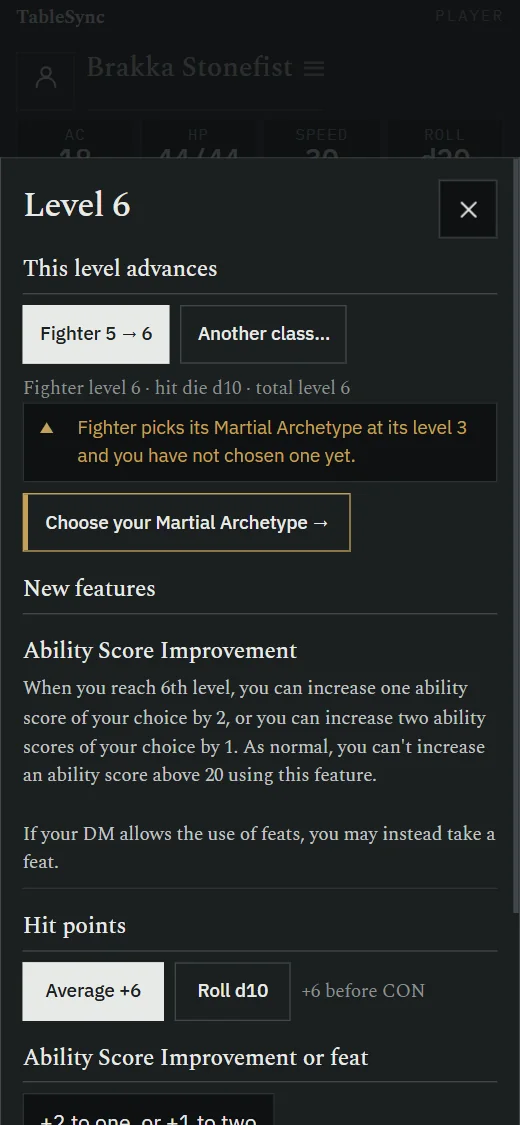
Guided character building and levelling that ask for every choice, feat and species spells included; spell preparation, inventory and encumbrance. Tap to roll; choose advantage or disadvantage. See the player app.
Rolls everyone sees
A player's roll lands on your screen and on the table view, so nobody reads numbers aloud.
The rules, a tab away
Monsters, spells, items and rules from the SRD 5.1 and 5.2.1, for both the 2014 and 2024 D&D rules, searchable at the table.
Tools for improvising
Shops with haggling, loot you can split among the party, a rules lookup, an NPC generator you can save to the wiki, tavern names, fumble tables, and a world map you uncover as the party travels.
Recording and the Lore Master
Optional: record the table's audio in the desktop app, and let the Lore Master transcribe it and draft the notes, all on your own computer. Everything else works without it.
Your own content
Add homebrew monsters, import content packs, and share your library with the players for as long as they are joined.
Starting a session
- Extract the zip anywhere — your Desktop is fine.
- Double-click
TableSync.bat. The DM screen opens and puts your table online. That takes about a minute. If Windows warns you first, see If Windows warns you. - Send your players the link it shows you.
- Press Open Table Window and put it where your players will see it: a second monitor, the screen in your gaming table, or the projector aimed down at the table. Press F for fullscreen.
- Calibrate the grid once, from the DM screen, until ten squares measure ten inches on the surface your players are using.
Close the DM screen and TableSync stops. On first run it creates its
own config.json with fresh access keys and a
session/ folder, both inside the folder you extracted.
Deleting that folder uninstalls it.
If it will not open — almost always a machine without Microsoft's WebView2 runtime — the folder named If TableSync will not start holds the other way in and says when to use it.
If Windows warns you
This download is not code-signed, so the first time you open
TableSync.bat Windows may stop and warn you. Check the
zip’s hash under Verifying the download
first: if it matches, you have the file published here.
- Open File — Security Warning, saying the publisher could not be verified: press Run.
- Windows protected your PC: press More info, check
that it names
TableSync.batwith an unknown publisher, then press Run anyway. - To be asked about none of the files inside, unblock the zip before you extract it: right-click it, choose Properties, tick Unblock, press OK, then extract it into a new folder.
- If the warning has no button that runs it, a setting on this computer does not allow unsigned downloads to run (work and school computers often have one). TableSync cannot change that: ask whoever manages the computer, or use another one.
How players reach your table
Through one link, wherever they are — across town or across the room. TableSync puts your table online through a Cloudflare tunnel and gives you the link; players open it and they are in. Like any relay, the tunnel operator can see traffic in transit.
Joining as a player
Players install nothing. You need one of two things from your DM:
- A link — open it. That is the whole process.
- A join code, four to twelve characters — enter it at Join a session, and it sends you to whatever address that DM is currently hosting on.
Either way your sheet lives on your DM's machine, so the same character opens on any device you join from. A code keeps working when your DM's address changes; they re-point it and you do nothing.
On Android, players can install TableSync Player, a free app that also builds and levels characters offline, before anyone has a table to join.
Which TableSync apps work with it?
Four free apps for Android and any browser sit beside TableSync for Windows, each with one job, and two of them can join your table:
- TableSync DM: the game master's screen on a phone or tablet, with the party, initiative, encounters and session prep; it can also open this DM screen on a tablet.
- TableSync Map: a tablet, TV or Android projector as the battle map at a true one-inch grid, or as this table's projector view.
- TableSync Solo: fifth edition adventures for one player, with heroes from TableSync Player.
- TableSync Codex: the SRD 5.1 and 5.2.1 as an offline rules reference.
The TableSync apps says what each one does and what each sends to the others.
Questions
What is TableSync?
TableSync is a free Windows app for running in-person Dungeons & Dragons fifth edition (D&D 5e) sessions, and other games built on the 5e rules. It gives the game master a DM screen, shows the battle map on a projector, TV table or second monitor, and puts each player's character sheet on their phone.
Does TableSync work with a projector over the table?
Yes. TableSync was built for a projector pointed down at a real table. You calibrate the grid once so squares measure true inches under your miniatures, and the brightness controls compensate for projector wash.
Is TableSync free?
Yes. It is free to download and use, with no account, subscription, advertising or telemetry. The code is MIT-licensed and the bundled rules content is the SRD under CC BY 4.0.
Do players need to install anything?
No. Players open the link the DM sends, or enter a join code, in any modern browser on a phone, tablet or laptop. They can add it to their home screen if they want it to behave like an app. On Android they can also install the free TableSync Player app, which builds characters offline.
Which rules does TableSync include?
The download ships the System Reference Document 5.1 and 5.2.1, so it supports both the 2014 and 2024 versions of the D&D fifth edition rules. You can import your own homebrew or other content as packs.
Is TableSync an official D&D product?
No. TableSync is an independent, free tool. It is not affiliated with, approved or endorsed by Wizards of the Coast. Its rules content is the System Reference Document, which Wizards of the Coast publishes under CC BY 4.0.
How is TableSync different from an online virtual tabletop?
Online virtual tabletops are built for play on screens over the internet. TableSync is built for a physical table: it runs on the DM's own computer, keeps campaign data in one local folder, and treats your miniatures as the tokens. Remote players can still join through a link.
Does TableSync handle difficult terrain and walls?
Yes. On the Map Creation tab the DM paints squares of difficult terrain and solid obstacles onto the map. Movement then walks around solid squares, pays 10 feet to enter a difficult square and never cuts a corner between two solid squares, and a solid square blocks line of effect for attacks and spells. The projector shows the map as drawn, with no terrain overlay.
Can a player take back a move in TableSync?
Yes, while nothing has followed it. The DM screen and the player's phone both offer Undo move for the last move of the creature whose turn it is. It is refused once anything else is spent that turn, once the token has been moved again or the turn has passed, and always when the move provoked an opportunity attack, because that attack was a roll.
Does TableSync have an encounter builder?
Yes. The Encounter Builder lists monsters with their challenge rating, armour class, hit points, size and type, shows a monster's full statblock, and rates the encounter for your party's size and level as Trivial, Easy, Medium, Hard or Deadly. It can also roll a random encounter for a danger level, terrain and location. Saved encounters launch onto the table from the Table tab.
How does a player get their character sheet on their phone?
The first time a phone joins, it asks for the player's name. The DM then sees every phone by that name on the Game Tools tab and can hand any character sheet to any phone, and that phone opens it.
Can the DM ask a player for a skill check or a saving throw?
Yes. From a character's token, the party list on the Game Tools tab or the party strip, the DM chooses who rolls, the ability check, skill check or saving throw, advantage or disadvantage, and an optional DC. Each player rolls on their own phone and the results come back to the DM's roll log, with a pass or a fail for each when a DC is set. The DC stays on the DM's screen.
Does TableSync keep campaign notes between sessions?
Yes. The DM starts a session on the Game Tools tab and TableSync logs what happens at the table. When the session ends it writes plain session notes from that log: a recap, the NPCs met, places, loot, open threads and quotes, which the DM can edit, print as a handout and share with the players section by section. A campaign also keeps a wiki of NPCs, places, factions and items, its quests and a timeline, a DM journal, and one search across all of it. Players read what is shared on their phone's Story tab.
Does TableSync need AI or a cloud account?
No. The DM screen, the table view, the phone sheets and the campaign notes all run on the DM's own computer with no account. The Windows download also carries the Lore Master, an optional helper that transcribes session recordings and drafts session notes; it runs on that computer too, and nothing is sent to a cloud service.
Verifying the download
The file is TableSync-2026.10.17.zip, 1682.1 MB, built 2026-10-17.
Get-FileHash "TableSync-2026.10.17.zip" -Algorithm SHA256
It should print, exactly:
B1F298B7A84240B79051FF1F91DC43844ECA58557AF812C4289F33FE3EA7D293
This download is not code-signed. Verify it instead — the hash above is the check that means something. The programs that actually execute inside it are signed by their own publishers; what this project adds is Python source and a batch file, neither of which can carry a signature.
Licence & release
Release 2026.10.17 Built 2026-10-17 Code MIT Rules content CC BY 4.0
The rules content shipped in the download is the System Reference Document, 2,738 records, used under CC BY 4.0. No sourcebook content is distributed. The application code is MIT.
All releases and changelogs · TableSync Player for Android · All TableSync apps · Privacy policy