
What is TableSync Map?
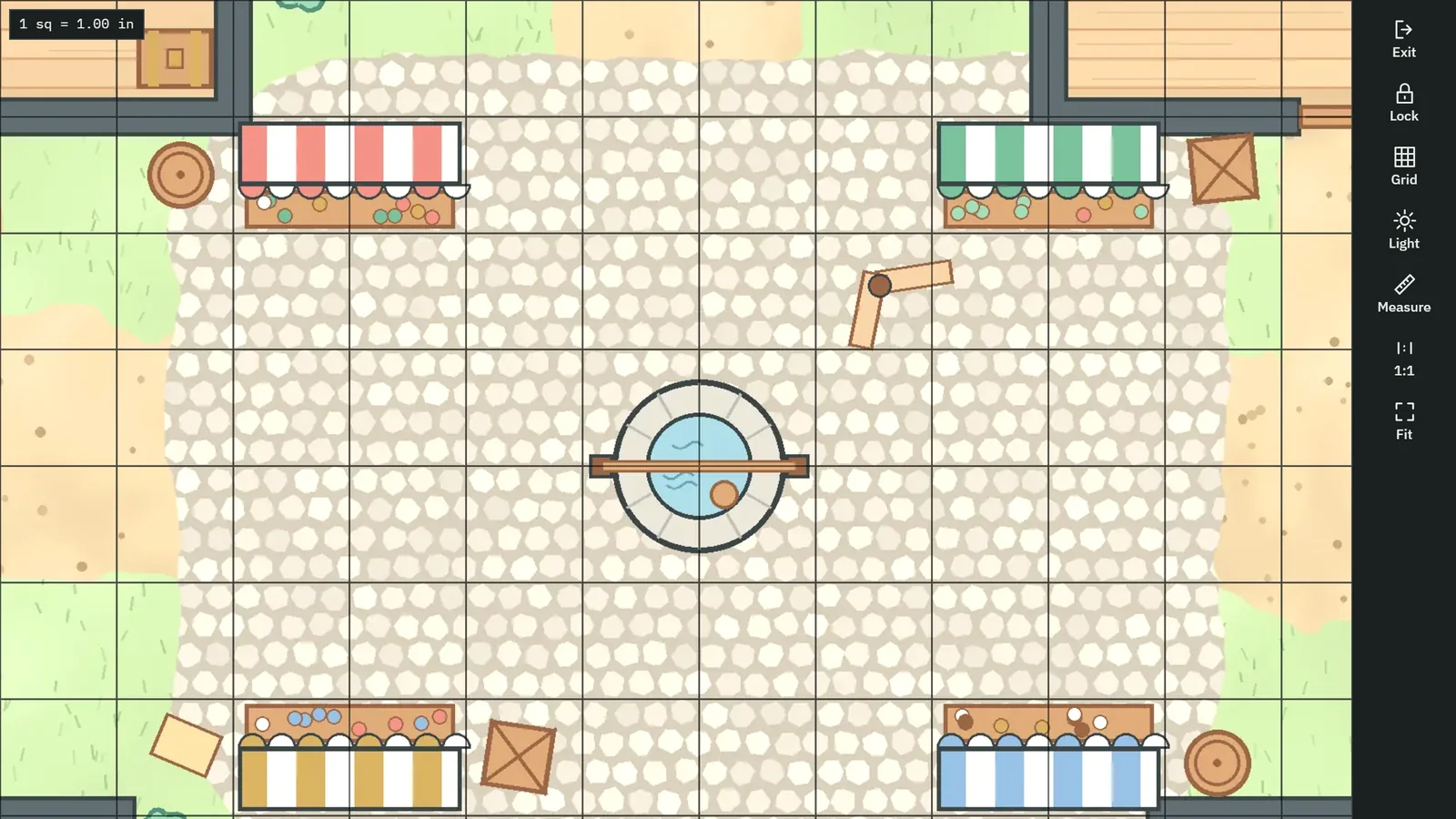
TableSync Map is a free battle map app for tabletop games played with physical miniatures, on Android or in any browser. It shows any map image fullscreen and bright on a tablet, TV or projector, with a grid calibrated so one square is one real inch.
A battle map on a screen is only useful under miniatures if its squares match their bases. Most screens are not one inch per square at any zoom you can name, and most map images were drawn at a size nobody wrote down. TableSync Map measures the screen, measures the map, and scales one to the other, so a 28 mm mini stands in a one-inch square and a 30-foot cone covers the squares it should.
There are no tokens and no fog of war, on purpose: the miniatures on the glass are the tokens. The app keeps to the map, the grid, and measuring.
What can TableSync Map do?
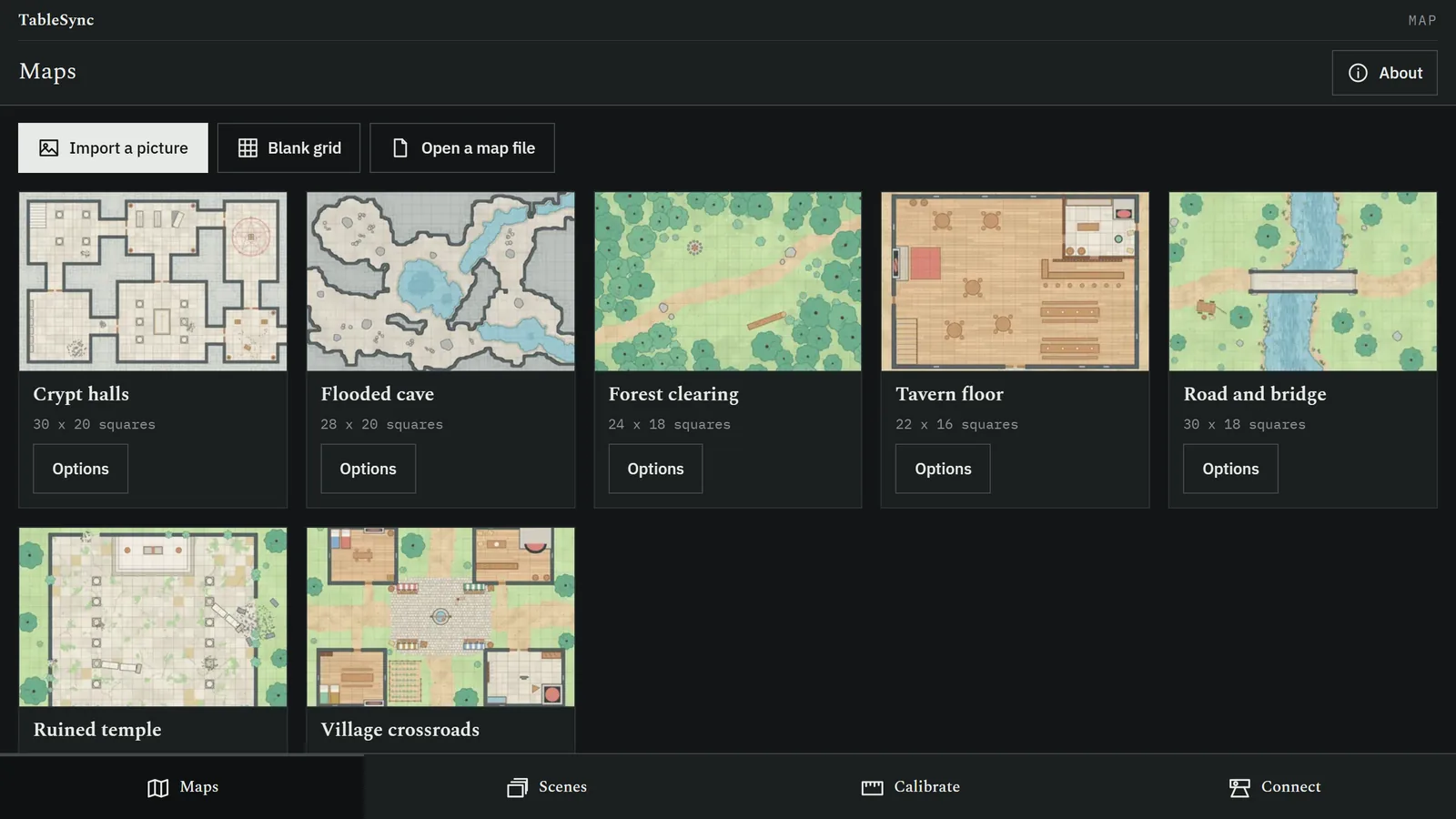
A library of maps and scenes, and a Show view with nothing on screen but the map.
Fullscreen and awake
Show fills the screen with the system bars hidden, keeps the screen on, and locks to landscape on tablets. Its controls fold into one edge and hide after a few seconds.
Brighter than normal
Projection washes colours out, so Show can turn the screen up to full and lift the image's brightness, contrast and gamma until the map reads on a wooden table.
A lock against knocks
Pan and zoom with your fingers, then lock the view with one control. Locked, touches do nothing until someone presses and holds a corner for a second, so a mini bumping the glass moves nothing.
A grid you can tune
Square or hex, flat or pointy, in four line colours with your choice of opacity and thickness, and kept crisp at every zoom.
Seven maps in the box
Seven original battle maps drawn for the app at exactly 140 pixels a square, so they align exactly: crypt halls, a flooded cave, a forest clearing, a tavern floor, a road and bridge, a ruined temple and a village crossroads. Seven plain surfaces, from bone to slate, with square or hex grids, cover theatre-of-the-mind fights.
Your own maps
Import PNG, JPEG or WebP images up to 8192 pixels a side and 25 MB, or receive one shared from another app. Rename them and order them into scenes for a session.
Measuring at true scale
A ruler in feet at five feet a square, and area templates you size in feet and turn by dragging: cone, sphere, cube, line and cylinder, several at once, cleared in one tap. They are measuring aids, off until you want them.
Scene tints
Daylight, night, torchlight, underwater and eerie washes, and a lightning flash, laid over the map without hiding a grid line.
A projector for the desktop table
If your group runs the desktop TableSync, Map opens its projector view from the table's address or the player link the DM shares, fullscreen and kept awake, and Back returns to the app.
Tablet first, phone too
Laid out landscape-first for tablets and projectors, and usable on a phone in either orientation as a pocket map.


How does TableSync Map make a square one inch?
In two steps, each remembered so you do it once.
- Measure the screen. Hold a bank card against the glass and resize the outline until it matches (85.60 by 53.98 mm); or match a ruler's inch marks; or enter the screen's diagonal. The result is kept per device and per display, so a projector at its usual distance is a profile of its own.
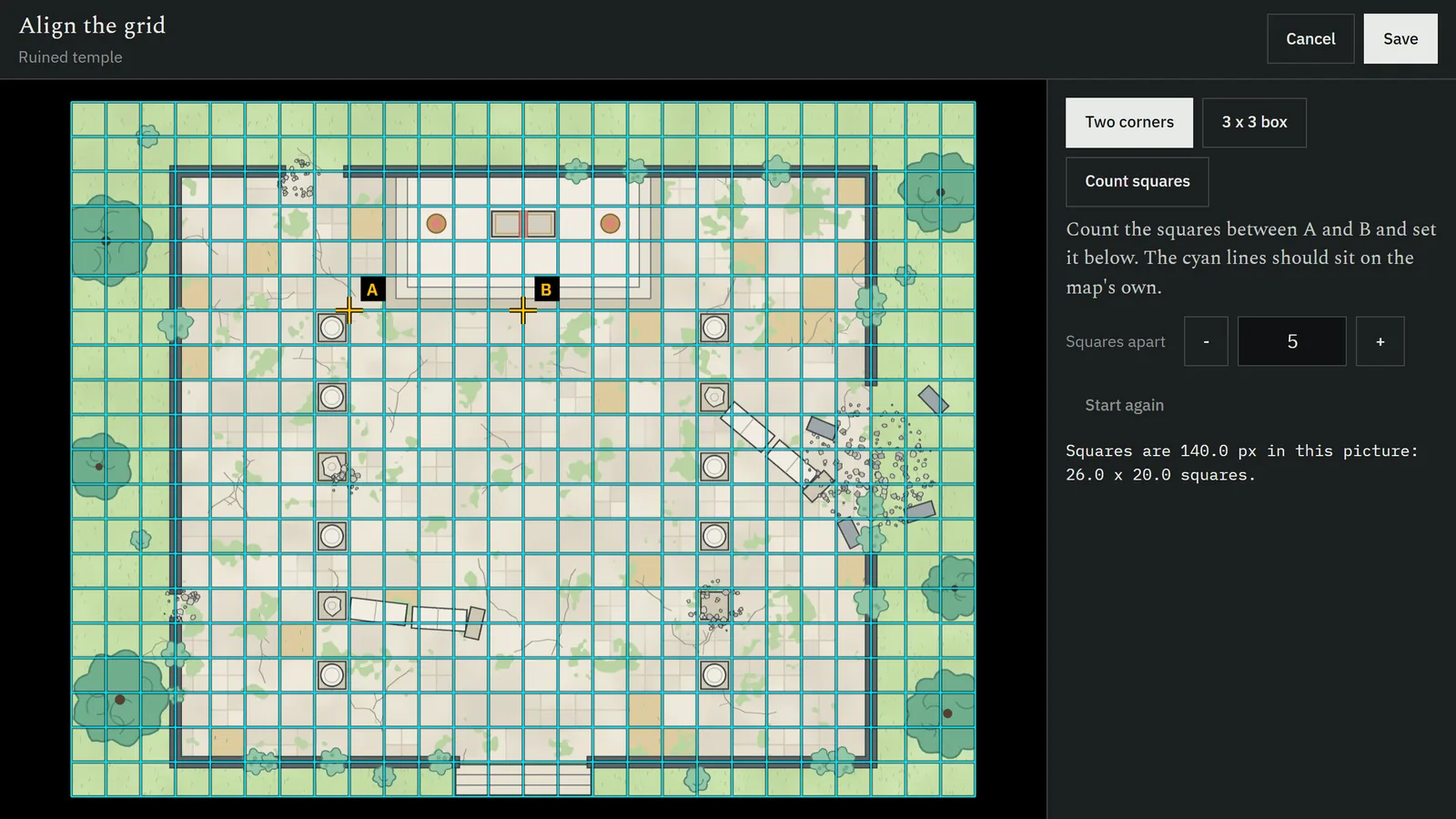
- Measure the map. Tap two grid intersections a known number of squares apart, or drag a three-by-three overlay onto the map's drawn grid. The map is scaled and offset so its squares equal one calibrated inch, and the alignment is saved with the map.
The app then states the result, for example "1 square = 1.00 in on this screen", and shows a check square to hold a ruler against.
How does TableSync Map work with the other TableSync apps?
Each TableSync app has one job and hands its work to the others as a file or a code, with no account and no server in between.
- From TableSync DM: the DM picks a map image on their phone, with its grid size, and sends it to the tablet or projector on the table.
- To another TableSync Map: a map with its alignment, so a second device shows it at the same scale without measuring again.
- With the desktop TableSync: Map becomes the table's projector view.
On Android, any app's Share of an image can send it to Map too. Anything sent of the wrong kind is refused with the name of the app that opens it.
Should I use the Android app or the web app?
Use the Android app on a tablet or an Android projector: it can turn the screen to full brightness, hold landscape and stay awake through a session. Use the web app on a laptop driving a projector or a TV: it is the same app at undeployedadam.com/tablesync/map/, using the browser's fullscreen and screen wake lock.
| Android app | Web app | |
|---|---|---|
| Get it | Free APK, 5.0 MB | Open the address; add it to the home screen |
| Runs on | Android 7.0 and later: tablets, phones, Android projectors | Any current browser, on the computer that drives the screen |
| Fullscreen and awake | Immersive, screen kept on, landscape lock | Browser fullscreen and screen wake lock, where the browser offers it |
| Brightness | Screen to full, plus image brightness, contrast and gamma | Image brightness, contrast and gamma |
| Maps kept | In the app, on the device | In that browser, on that device |
How do I install TableSync Map on Android?
TableSync Map is coming to Google Play. Until then it installs from a file, which Android calls sideloading.
- On the tablet, phone or projector, tap Download for
Android. The file is
TableSync-Map-1.0.0.apk, 5.0 MB. - Open the downloaded file. If Android says your browser is not allowed to install unknown apps, tap Settings, turn on Allow from this source, and go back.
- Tap Install. Android may warn that the app is from an unknown developer, because the file is not delivered through Google Play. Check it under Verifying the APK if you want to be sure it is the one published here.
- Open TableSync Map, calibrate the screen once, and show a map.
What does TableSync Map do with my data?
It keeps it on your device. There is no account, no TableSync server, no advertising, no analytics, no crash reporting and no third-party SDK.
- Maps you import, their alignment, your scenes and the screen calibration stay in the app's own storage on the device.
- The only network request it can make is to a desktop TableSync address you enter, to show that table's projector view. Otherwise it connects to nothing.
- Sending a map goes where you send it: another app on the device, the share sheet, or a file you save.
The full text is the TableSync privacy policy.
What does TableSync Map need to run?
- Android 7.0 or later: a tablet, a phone, or an Android projector with a touch screen or a mouse.
- Permissions: internet, used only to reach a desktop TableSync address you enter, and vibration. It does not ask for your location, contacts, camera or microphone; a map is imported through the system's own picker, which hands the app only the image you chose.
- In a browser: any current browser; fullscreen and wake lock where the browser supports them.
- Size: 5.0 MB to download, with the seven bundled maps inside.
Questions
What is TableSync Map?
TableSync Map is a free battle map app for tabletop games played with physical miniatures, on Android and in any browser. It shows any map image fullscreen and bright on a tablet, TV or projector, with a grid calibrated so one square is one real inch, and measuring templates at true scale.
How does TableSync Map get the grid to a true inch?
By measuring the screen and then the map. You match an on-screen outline to a bank card or a ruler, or enter the screen's diagonal; then you tap two points on the map's own grid, and the app scales the map so each square is one calibrated inch.
Can I use my own maps?
Yes. Import any PNG, JPEG or WebP image up to 8192 pixels a side and 25 MB, or receive one from TableSync DM or another app's Share. Seven original maps and seven plain grid surfaces come with the app.
Does TableSync Map have tokens or fog of war?
No. The miniatures on the table are the tokens, so the app shows only the map, the grid, scene tints and measuring templates you turn on.
Can TableSync Map be the projector for the desktop TableSync?
Yes. Enter the table's address or the player link your DM shares and Map opens the desktop TableSync's projector view, fullscreen and kept awake; calibrate the grid there with the desktop's own grid panel.
Does TableSync Map need the internet?
No. Maps, calibration and templates all work offline, and the only connection it ever makes is to a desktop TableSync address you enter yourself.
Is TableSync Map on Google Play?
Not yet: TableSync Map is coming to Google Play. Today it is a free APK download from this page, version 1.0.0, for Android 7.0 or later, and a web app in any browser.
Is TableSync Map an official product?
No. It is an independent, free tool, not affiliated with, approved or endorsed by Wizards of the Coast, and it works with any game played on a one-inch grid.
Verifying the APK
The file is TableSync-Map-1.0.0.apk, 5.0 MB, published
2026-10-23. On a computer:
Get-FileHash "TableSync-Map-1.0.0.apk" -Algorithm SHA256
It should print, exactly:
2A5FB62C164EB97C4D7F9AB76BDBC354D3A31FFAAE7A7A988D253D1DAD2775D5
The APK is signed with the project's own key rather than delivered through Google Play, which is why Android calls the developer unknown. The hash above is the check that means something; every TableSync APK's hash is also in SHA256SUMS.txt beside the files on this site.
Licence & release
Android 1.0.0 Published 2026-10-23 Code MIT Maps original
The bundled battle maps are original, drawn by a script in the app's own source. The app carries no rules text; its measuring follows the movement and area-of-effect rules of the System Reference Document 5.2.1, published under CC BY 4.0. The application code is MIT.
All releases and changelogs · All TableSync apps · Privacy policy