
What is TableSync DM?
TableSync DM is a free game master's screen for fifth edition tabletop games, on an Android phone or tablet or in any browser. It keeps your party's numbers, runs initiative and hit points, builds encounters from the SRD bestiary and holds your session prep.
A paper GM screen holds tables you rarely need and none of the numbers you ask for every round. This one holds the party: each hero's armour class, hit points, passive Perception, Insight and Investigation, saving throws and spell save DC, on a card that comes straight from the player's own TableSync Player sheet. When a fight starts, the party joins it in one tap and the monsters come from the SRD bestiary with their full stat blocks.
It runs on its own, with no desktop and no connection. If you also run the desktop TableSync, the app can open its DM screen on a tablet.
What can TableSync DM do?
Five tabs on the thumb: Party, Fight, Build, Prep and Tools.
The party at a glance
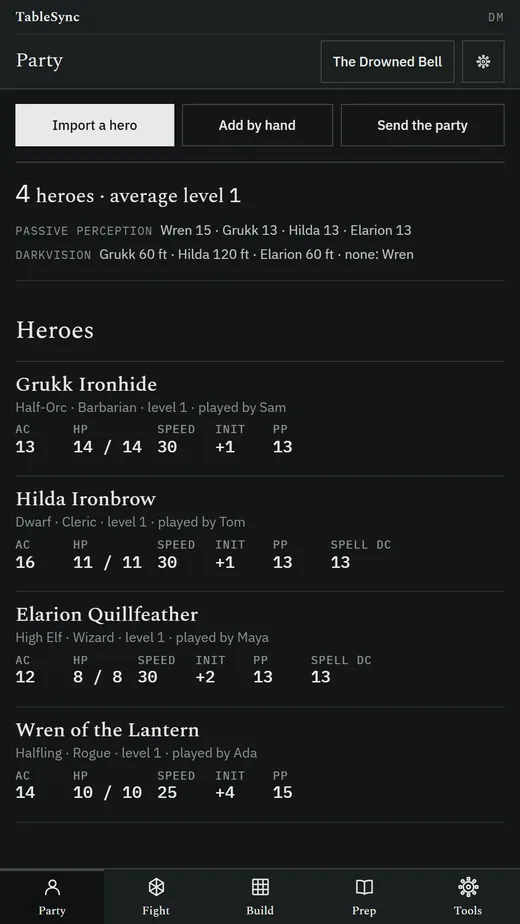
One card per hero: species, classes and level, AC, current and maximum hit points, speed, initiative, passive Perception, Insight and Investigation, saves, spell save DC and attack bonus, languages and a notes line. A summary gives the party's size, average level and passive Perception line-up.
Heroes straight from the Player
A player sends their character from TableSync Player, or shares it as a file or a code. The app works out the card from the sheet, shows you what it took, and asks Update or Keep both when that hero is already in the party.
Initiative in a minute
Add the party in one tap and monsters from the SRD bestiary by name, challenge rating or type; duplicates are numbered Goblin 1, Goblin 2. Monster initiative is rolled for you, singly or as a group, and each hero's roll goes in on a number pad.
Hit points that add up
Damage and healing take temporary hit points first, stop at zero and at the maximum, and can hit several targets at once. A monster at zero is greyed, skipped and can be brought back.
Conditions that count down
The SRD conditions and exhaustion levels, each with an optional duration in rounds that ticks at the start or end of the bearer's turn and says when it ends. A concentrating creature that takes damage gets its Constitution save DC on screen.
Stat blocks you roll from
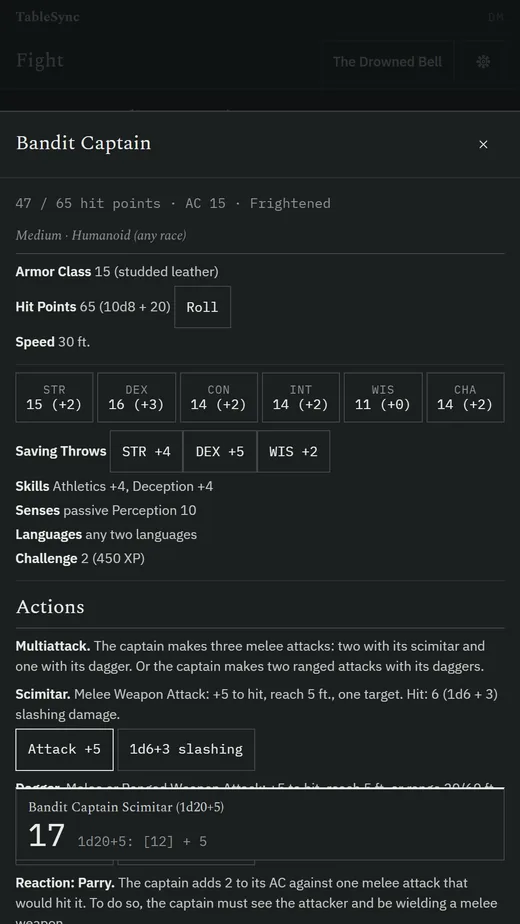
Open any monster's full SRD stat block from its row and tap an attack or its damage to roll it. Legendary actions and resistances have counters, and recharge abilities roll at the start of the monster's turn.
Death saves and an undo
A hero at zero hit points tracks successes and failures, with natural 1s and 20s. The last actions can be undone, every fight keeps a log, and a fight survives the app being closed: it reopens on the same round and turn.
The fight, summed up
When it ends: rounds, the monsters defeated, experience points in total and per hero by the SRD's XP for each challenge rating, and an offer to roll the treasure.
An encounter builder
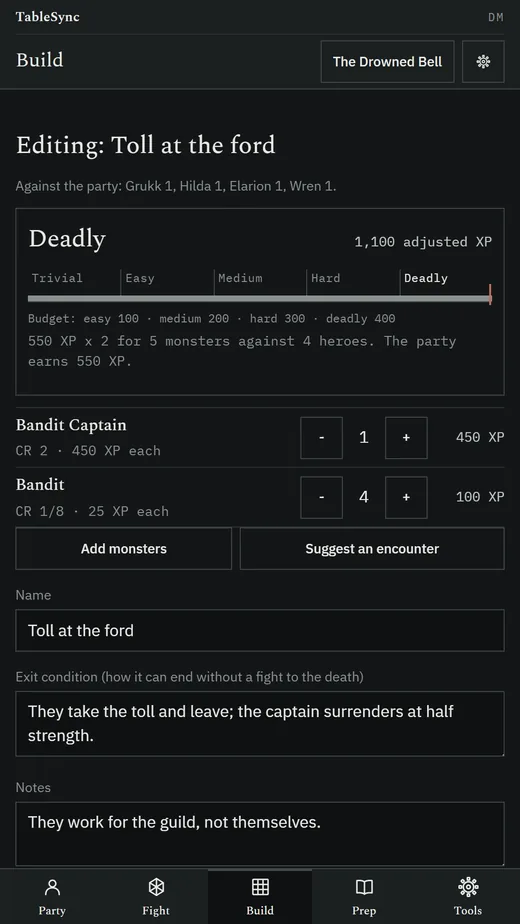
Build a fight against your party and see its difficulty by the XP budget, with the same numbers as the desktop TableSync's encounter builder and what each monster costs. Write down how it can end without a fight to the death. Save, rename, duplicate, run one in a tap, or let Suggest an encounter pick monsters for the party.
Prep in the improv-kit format
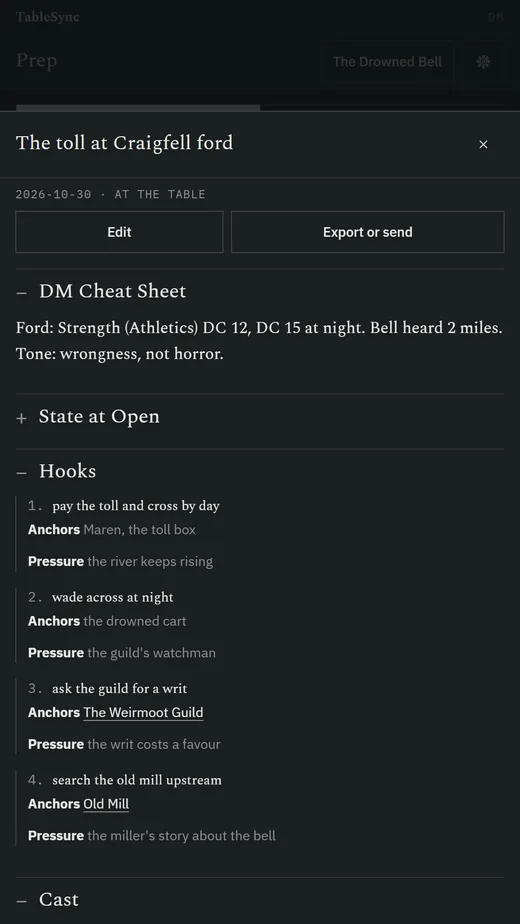
State at Open, a Cast of character cards (mannerism, voice tic, wants, won't, three sample lines, a reactive beat), Places, Hooks with anchors and soft pressure, an Encounter Toolbox with exit conditions, a Cheat Sheet, Cold Close options, Pre-Decisions and After-Play Notes.
A session you can scan at the table
Open a session in its at-the-table view: the cheat sheet first and every other section folded, so the line you need is one tap away while the players talk.
A campaign notebook
NPCs, places, factions, threads and items, searchable, where a [[Name]] in any text links to that entry. Export a session or the notebook as Markdown with wikilinks, ready for Obsidian.
Generators for the moment you need one
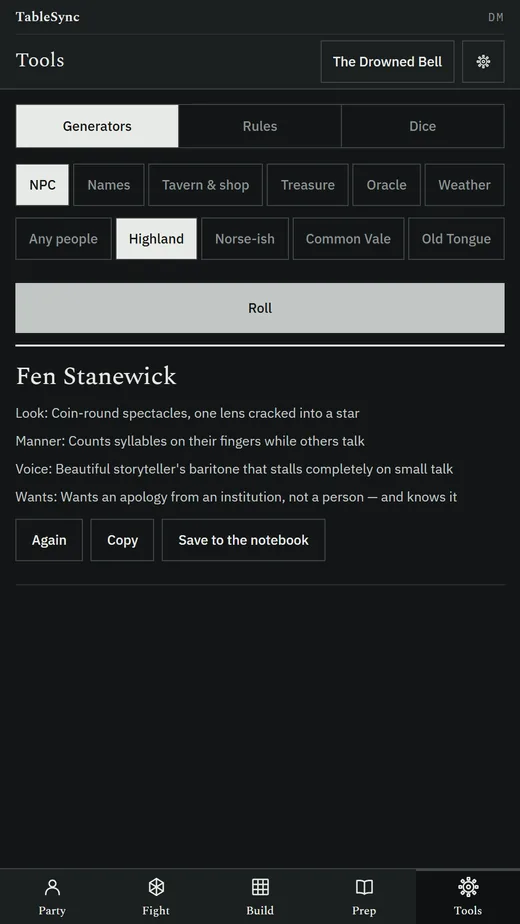
An NPC with a look, a manner, a voice and a want; names by people; a tavern or shop with stock and prices; treasure by challenge rating; a yes-or-no oracle; weather. Roll again, copy, or save the result to the notebook.
The rules you look up mid-fight
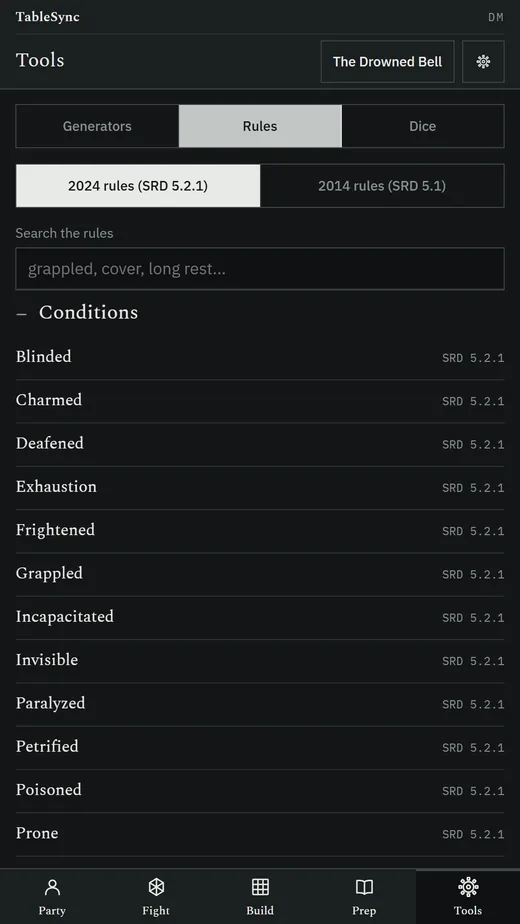
Conditions, actions in combat, cover, DCs by difficulty, travel pace, light and vision, resting and exhaustion, in the 2024 or the 2014 printing, with a search: the SRD's own entries, with a short summary on top where a table helps. A dice roller takes any expression with advantage or disadvantage.
Phone and tablet
Laid out for phones, 7-inch and 10-inch tablets. On a 10-inch screen the fight shows the tracker and the selected monster's stat block side by side.
Everything in one backup file
Back up every campaign, party, encounter and session to one file and restore it on another device, with a confirmation that names what it will replace.
How does TableSync DM work with the other TableSync apps?
Each TableSync app has one job and hands its work to the others as a file or a code, with no account and no server in between.
- From TableSync Player: a player's character becomes a party card. The player keeps the sheet; the app never edits it.
- From TableSync Codex: a monster goes into an encounter or the running fight; a rule or a spell goes into the notebook.
- To TableSync Map: a map image you pick, with its grid size, goes to the tablet or projector on the table.
- To another TableSync DM: the party, an encounter or a session's prep, for a co-DM or your own tablet.
On Android, Send goes straight into the other app when it is installed, and to its page when it is not. Anywhere else, the same thing travels as a file or as a code you paste into a chat. Anything sent of the wrong kind is refused with the name of the app that opens it.
With the desktop TableSync, the app opens the DM screen your PC serves, from its address or a join link, and Back returns to the app.
Should I use the Android app or the web app?
Use the Android app on a phone or tablet you bring to the table: it keeps working with no signal, and Send hands heroes and maps straight to the other apps. Use the web app on a laptop, an iPad or an iPhone: it is the same app at undeployedadam.com/tablesync/dm/, kept in that browser.
| Android app | Web app | |
|---|---|---|
| Get it | Free APK, 3.5 MB | Open the address; add it to the home screen |
| Runs on | Android 7.0 and later, phones and tablets | Any current browser |
| Offline | Yes, always | Yes, after the first visit |
| Sending to other apps | Straight into the app, or as a file or code | As a downloaded file or a copied code |
| Data kept | In the app, on the device | In that browser, on that device |
How do I install TableSync DM on Android?
TableSync DM is coming to Google Play. Until then it installs from a file, which Android calls sideloading.
- On your phone or tablet, tap Download for Android.
The file is
TableSync-DM-1.0.0.apk, 3.5 MB. - Open the downloaded file. If Android says your browser is not allowed to install unknown apps, tap Settings, turn on Allow from this source, and go back.
- Tap Install. Android may warn that the app is from an unknown developer, because the file is not delivered through Google Play. Check it under Verifying the APK if you want to be sure it is the one published here.
- Open TableSync DM, name your campaign, and add your party by hand or from TableSync Player.
What does TableSync DM do with my data?
It keeps it on your device. There is no account, no TableSync server, no advertising, no analytics, no crash reporting and no third-party SDK.
- Campaigns, party cards, fights, encounters, sessions and notes stay in the app's own storage on the device.
- The only network request it can make is to a desktop TableSync address you type in. Otherwise it connects to nothing.
- Sending a hero, an encounter or a map goes where you send it: another app on the device, the share sheet, or a file you save.
The full text is the TableSync privacy policy.
What does TableSync DM need to run?
- Android 7.0 or later, on a phone or a tablet; layouts for phones, 7-inch and 10-inch screens.
- Permissions: internet, used only to reach a desktop TableSync address you enter, and vibration, for the dice. It does not ask for your location, contacts, camera, microphone or files.
- In a browser: any current browser on a computer, tablet or phone, iPad and iPhone included.
- Size: 3.5 MB to download. The SRD bestiary and rules travel inside the app.
Questions
What is TableSync DM?
TableSync DM is a free game master's screen for fifth edition tabletop games, on Android phones and tablets and in any browser. It keeps a party roster with each hero's key numbers, runs initiative, hit points, conditions and death saves, builds encounters from the SRD bestiary, and holds session prep in the improv-kit format.
Is TableSync DM free?
Yes. It is free, with no account, subscription, in-app purchase, advertising or telemetry. The code is MIT-licensed and the bundled rules content is the SRD under CC BY 4.0.
Does TableSync DM need the internet?
No. Everything works offline, and the only connection it ever makes is to a desktop TableSync address you type in yourself.
Do I need the desktop TableSync to use it?
No. TableSync DM runs a game on its own. If you also run the desktop TableSync on a PC, the app can open that DM screen on your tablet from its address or a join link.
How do my players' characters get into TableSync DM?
From TableSync Player. A player sends their character to TableSync DM, or shares it as a file or a code, and the app shows the card it worked out before adding it. Players keep their own sheets; the DM app never edits them.
How does TableSync DM rate an encounter's difficulty?
By the XP budget for your party's size and levels, with the same numbers as the desktop TableSync's encounter builder. A bar shows the budget and what each monster costs, and Suggest an encounter picks monsters to fit the difficulty you choose.
Is TableSync DM on Google Play?
Not yet: TableSync DM is coming to Google Play. Today it is a free APK download from this page, version 1.0.0, for Android 7.0 or later, and a web app in any browser.
Is TableSync DM an official product?
No. It is an independent, free tool, not affiliated with, approved or endorsed by Wizards of the Coast. Its rules content is the System Reference Document, which Wizards of the Coast publishes under CC BY 4.0.
Verifying the APK
The file is TableSync-DM-1.0.0.apk, 3.5 MB, published
2026-10-23. On a computer:
Get-FileHash "TableSync-DM-1.0.0.apk" -Algorithm SHA256
It should print, exactly:
ACE8B148C63DF4843E299CE6F58F95DE682524512D2FEA6956E103BF43E234F0
The APK is signed with the project's own key rather than delivered through Google Play, which is why Android calls the developer unknown. The hash above is the check that means something; every TableSync APK's hash is also in SHA256SUMS.txt beside the files on this site.
Licence & release
Android 1.0.0 Published 2026-10-23 Code MIT Rules content CC BY 4.0
The app bundles the System Reference Document 5.1 and 5.2.1 (its monsters, spells and items, and the rules sections its tools quote), used under CC BY 4.0. No sourcebook content is distributed. The generators' tables are original. The application code is MIT.
All releases and changelogs · All TableSync apps · Privacy policy